Chat on WhatsApp

How to Recover a Suspended Google Play Developer Account

Having your Google Play Developer account suspended can be a frustrating experience, especially if your apps are a significant part of your business or creative work. A suspension can occur for various reasons, such as policy violations, issues with app content, or suspicious activity. However, there are steps you can take to understand the situation, appeal the suspension, and potentially recover your account. This guide will walk you through the process of recovering a suspended Google Play Developer account in a clear and actionable way.

Why Was Your Account Suspended?

Before attempting to recover your account, it’s crucial to understand why Google suspended it. Google typically sends an email to the account holder detailing the reason for the suspension. Common reasons include:

  • Policy Violations: Your app may have violated Google Play’s Developer Program Policies, such as including inappropriate content, misleading claims, or unsafe features.
  • Multiple Accounts: Google prohibits developers from maintaining multiple Play Developer accounts. If you’re linked to another account, this could trigger a suspension.
  • Payment Issues: Unresolved payment disputes, such as chargebacks or invalid payment methods, can lead to account suspension.
  • Malware or Security Concerns: Apps that contain malicious code or pose security risks to users can result in immediate suspension.
  • Spamming or User Deception: Practices like keyword spamming, fake reviews, or misleading app descriptions can lead to account issues.

Check the suspension email carefully for specific details. If the email is vague or you’re unsure about the violation, you may need to dig deeper into Google’s policies or contact their support team for clarification.

Steps to Recover a Suspended Google Play Developer Account

Recovering a suspended account requires a systematic approach. Follow these steps to maximize your chances of reinstatement:

  1. Review the Suspension Email

The suspension notification email from Google will outline the reason for the suspension and any specific policy violations. It may also include details about the app or apps involved. Take note of:

  • The exact policy violated (e.g., section of the Developer Program Policies).
  • Whether the suspension is app-specific or account-wide.
  • Any instructions for submitting an appeal.

If you can’t find the email, check your spam or junk folder, or log into the Google Play Console to view any notifications.

  1. Understand Google’s Policies

Familiarize yourself with the Google Play Developer Program Policies. These policies cover everything from content guidelines to user privacy and monetization rules. Cross-reference the violation mentioned in the email with the relevant policy section to understand what went wrong. This step is critical because your appeal must demonstrate that you’ve addressed the issue or that the suspension was a mistake.

  1. Fix the Issue (If Possible)

If the suspension is related to a specific app, review and update the app to comply with Google’s policies. Common fixes include:

  • Removing or editing inappropriate content (e.g., explicit images, text, or functionality).
  • Updating your app’s metadata (title, description, or icons) to avoid misleading information.
  • Ensuring compliance with privacy policies, such as clearly disclosing data collection practices.
  • Addressing any security vulnerabilities or bugs.

If the suspension is account-wide, consider whether any of your apps or account practices (e.g., multiple accounts) could have triggered the issue. Fix these before submitting an appeal.

  1. Submit an Appeal

Google allows developers to appeal suspensions through the Google Play Console. Here’s how to do it:

  • Log into your Google Play Console (if you still have access).
  • Navigate to the suspension notification or the “Account Status” section.
  • Click on the “Appeal” button or follow the link provided in the suspension email.
  • Complete the appeal form with the following:
    • A Clear Explanation: Acknowledge the violation (if applicable) and explain how you’ve fixed it. If you believe the suspension was a mistake, provide evidence to support your case.
    • Supporting Documentation: Include screenshots, updated app files, or other relevant materials to demonstrate compliance.
    • Professional Tone: Be concise, polite, and professional. Avoid emotional language or blaming Google.

Submit the appeal and note the confirmation number or email for reference.

  1. Wait for a Response

Google typically reviews appeals within a few days to a week, though complex cases may take longer. During this time:

  • Monitor your email for updates from Google.
  • Avoid creating new Google Play Developer accounts, as this violates Google’s policies and could lead to permanent bans.
  • Refrain from contacting Google repeatedly, as this may delay the process.
  1. Follow Up if Necessary

If your appeal is rejected, Google will send a response explaining why. Review their feedback carefully and address any outstanding issues. You may be able to submit a second appeal with additional information or corrections. If the rejection email doesn’t provide clear reasons, you can try contacting Google Play Developer Support through the Help Center for further clarification.

Tips to Improve Your Chances of Recovery

  • Be Honest and Transparent: If you made a mistake, admit it in your appeal and show how you’ve corrected it. Google appreciates accountability.
  • Provide Evidence: Include specific details, such as updated app versions, screenshots, or policy compliance documentation.
  • Act Quickly: Submit your appeal as soon as possible to demonstrate urgency and commitment to resolving the issue.
  • Avoid Repeated Violations: If your account is reinstated, ensure all your apps comply with Google’s policies to prevent future suspensions.

What to Do If Your Appeal Is Denied

If Google denies your appeal and upholds the suspension, you have a few options:

  • Request Further Clarification: Contact Google Play Developer Support to understand the exact reason for the denial. Sometimes, they provide additional details that can help you refine a future appeal.
  • Create a New Account (With Caution): Google’s policies prohibit creating new accounts to circumvent a suspension. However, if you believe the suspension was unfair and you’ve exhausted all appeal options, you may consider registering a new account with a different email address and payment method. Be aware that Google may link this account to your suspended one, leading to another ban.
  • Explore Alternative Platforms: If recovery isn’t possible, consider publishing your apps on other platforms like the Amazon Appstore, Samsung Galaxy Store, or direct distribution through your website.

Preventing Future Suspensions

To avoid future issues with your Google Play Developer account:

  • Stay Updated on Policies: Regularly review Google’s Developer Program Policies, as they can change over time.
  • Test Your Apps Thoroughly: Use tools like Google’s pre-launch reports to identify potential policy violations before publishing.
  • Maintain a Single Account: Avoid creating multiple Google Play Developer accounts, as this is a common cause of suspensions.
  • Monitor User Feedback: Address user complaints or negative reviews promptly, as these can trigger Google’s attention.
  • Secure Your Account: Enable two-factor authentication and ensure your account isn’t compromised, as suspicious activity can lead to suspensions.

Conclusion

Recovering a suspended Google Play Developer account is challenging but not impossible. By understanding the reason for the suspension, addressing any violations, and submitting a well-crafted appeal, you can increase your chances of reinstatement. Act quickly, stay compliant with Google’s policies, and take steps to prevent future issues. If you’re unable to recover your account, explore alternative platforms to continue sharing your apps with the world.

For more information or assistance, please feel free to contact us. Our dedicated team is always ready to guide you and provide the support you need.


How to Resolve App Store or Play Store Submission Errors

Submission of your mobile application on Google Play Store or the App Store and Google Play Store is a amazing step during the development process. But, it’s not unusual to experience submission errors or rejections that could slow the time of launching. The reasons for this are typically errors in the guidelines, technical problems or insufficient documentation. In this blog we’ll discuss the most frequent errors on both platforms and give concrete steps to fix these issues. With these suggestions to increase the chances of a smooth and easy approval process.

If you’re a developer on your own or a member of a group, understanding the potential pitfalls is crucial. Let’s take a look.

Common App Store Submission Errors and How to Fix Them

Its App Store has strict review guidelines to ensure that they are high-quality and user-friendly applications. There are many rejections, but they can be dealt with through specific fixes. Here are a few of the most popular issues, based on the developer’s experience and official resources.

  1. Crashes and Bugs

One of the main reasons for denial is when an app fails to load during review. The Apple reviewers thoroughly test apps and any issue could cause rejection.

How to Resolve:

  • Conduct thorough usability tests across multiple devices and iOS versions.
  • Make use of tools such as Xcode’s Debugger and analytics platform to find and fix any crashes.
  • Examine the user’s journeys and heatmaps in order to identify issues that may be hidden prior to the submission.
  1. Guideline Violations (e.g., Intellectual Property Infringement)

Violation of The Apple App review guidelines, like the use of copyrighted content without permission is a common snare.

How to Resolve:

  • Check your application for third-party assets (images names, images or even code) and ensure that you are able to make use of them.
  • Change the metadata of your app such as screenshots and descriptions to avoid false claims.
  • If the submission is rejected, you can edit the submission on App Store Connect to fix the issue then resubmit.
  1. Incomplete or Poor User Experience

Apps that aren’t finished or have broken links or have a difficult navigation are rejected.

How to Resolve:

  • Check that all features are working according to the application’s description.
  • Use the Apple’s Human Interface Guidelines for a well-designed UX/UI that is polished.
  • Test accessibility features, such as VoiceOver support, in order to meet the standards for inclusion.
  1. Privacy Policy Issues

Inadvertently ignoring a privacy policy in the event of applications that only collect only a small amount of data, could result in the app being removed.

How to Resolve:

  • Include a clear and accessible privacy policy URL within the settings of your application and in the information about submission.
  • Make use of the Apple Nutrition Labels to clearly disclose methods of data collection.
  1. Misleading Metadata or Subscriptions

Problems with in-app purchases or subscriptions, or incorrect descriptions can result in rejections.

How to Resolve:

  • Make sure your app’s functionality is aligned with the store’s listing.
  • For subscriptions, make sure to provide transparent pricing and simple cancellation options.
  • If you want to appeal to a denial, prove that your application is in line with the guidelines.

For more information, visit the Official App Review page for any unresolved problems.

Common Google Play Store Submission Errors and How to Fix Them

Google Play Store reviews focus on security, content policies and safety for users. Although the process is generally faster than Apple’s, violation can lead to delays. Here are some common mistakes and their solutions.

  1. Copyright or Trademark Infringements

The use of logos, names and protected names or any content that does not have permission is one of the main reasons for rejection.

How to Resolve:

  • Check your app’s title and description, and assets to find any elements that may be infringing.
  • Get the necessary licenses for referencing brands.
  • Submit again after updates using Google Play Console. Google Play Console.
  1. Policy Violations (e.g., Spam or Malware)

Apps that are flagged for repetitious content, deceptive behavior, or security risk are turned down.

How to Resolve:

  • Adhere to Google’s Developer Program Policies.
  • Make sure to scan your application with anti-virus tools to ensure there’s you don’t have any hidden malware.
  • To prevent spam, change the app’s listing if you are submitting several applications.
  1. Technical Issues (e.g., APK Errors or Compatibility)

Issues such as incorrect APK uploads or device compatibility could stop submissions.

How to Resolve:

  • Verify that your APK as well as AAB file is in compliance with Google’s specifications (e.g. your you should be using the latest SDK version).
  • Test with different Android platforms and version with emulators or hardware.
  • If you encounter permission errors (like code 403), check your console credentials.
  1. Incomplete Listings or Data Safety Forms

Incorrect information in your store listing or incorrect safety information about your data can could result in rejections.

How to Resolve:

  • Complete your details in the Data Safety section in the Play Console accurately.
  • Offer high-quality images as well as descriptions and an privacy statement.
  • To update, go to the Store Preference > Store Listing on the console. You can then correct any the issues.
  1. Payment or Billing Problems

In-app purchases and integration of billing systems can lead to errors when reviewing.

How to Resolve:

  • Change your payment method and billing address on your Play Console.
  • Conduct tests in a sandbox.
  • Clean cache and data from data and cache from Play Store app if testing locally.

General Tips for Successful App Submissions

To avoid committing a mistake:

  • Test extensively: Use beta testing applications on both platforms to collect feedback.
  • Stay updated: Regularly check official guidelines – Apple’s App Review Guidelines as well as Google’s Developer Policy evolve.
  • Document everything: Keep detailed records of any changes to appeals.
  • Automate your work: Platforms like Appcircle or Codemagic can streamline build processes and help catch problems early.
  • Appeal When Needed: Both stores allow appeals. You must provide evidence to support your argument.

Conclusion

Solving App Store and Play Store submission errors requires patience, focus on the details and compliance with rules of the platform. If you can address common issues, such as crashes, policy violations and insufficient metadata, you can have your application approved more quickly and get your message to the right people faster.

If you find these issues to be daunting, especially for more complex projects, you might consider hiring an hourly mobile app developer base to address specific issues or an exclusive mobile app developer to offer end-to-end assistance. Professional assistance can speed up the process and help ensure the compliance of your app, turning any issues into successful launch.

How Developers Are Building Next-Gen Apps Using Python

Python has solidified its position as a powerhouse in the world of software development, driving innovation across industries. Its simplicity, versatility, and robust ecosystem make it the go-to language for building next-generation applications. From AI-driven solutions to scalable web platforms, developers are leveraging Python to create cutting-edge applications that meet modern demands. This blog explores how developers are harnessing Python’s potential, why businesses choose to hire Python developers, and how a Python development company can bring transformative ideas to life.

Why Next-Gen Applications Are Built with Python

Python’s rise to prominence is no accident. Its clean syntax, extensive libraries, and cross-platform compatibility make it ideal for rapid development and prototyping. Here’s why developers are choosing Python for next-gen applications:

    • Versatility: Python supports a wide range of use cases, from web development (Django, Flask) to data science (Pandas, NumPy) and artificial intelligence (TensorFlow, PyTorch).

    • Scalability: Companies like Instagram and Spotify use Python to handle millions of users, proving its ability to scale.

    • Community and Ecosystem: With a vast community and thousands of libraries, Python enables developers to build complex applications quickly.

    • Readability: Python’s straightforward syntax allows teams to collaborate efficiently, reducing development time.

Businesses looking to innovate often hire Python developers to tap into this flexibility, enabling them to create apps that are both powerful and user-friendly.

How Developers Are Building Next-Gen Apps with Python

1. Artificial Intelligence and Machine Learning

Python is the backbone of AI and ML development. Libraries like TensorFlow, PyTorch, and scikit-learn empower developers to build intelligent systems, from recommendation engines to autonomous vehicles. For instance, AI-driven chatbots and predictive analytics tools are transforming customer experiences in e-commerce and healthcare.

A Python development company can help businesses integrate AI into their applications, creating personalized user experiences and automating complex processes.

2. Web Development

Frameworks like Django and Flask make Python a top choice for building robust, scalable web applications. These frameworks simplify backend development, enabling developers to focus on creating seamless user interfaces and secure APIs. Companies like Pinterest and Dropbox rely on Python for their web infrastructure.

Businesses looking to build dynamic web apps often turn to a Python development company to deliver projects that are secure, scalable, and easy to maintain.

3. Data Science and Analytics

Python’s data science libraries, such as Pandas, NumPy, and Matplotlib, are revolutionizing how businesses analyze data. Developers use Python to create dashboards, generate insights, and visualize trends, enabling data-driven decision-making. Industries like finance, retail, and marketing are leveraging Python to build next-gen analytics platforms.

To stay competitive, companies hire Python developers with expertise in data science to unlock the full potential of their data.

4. Automation and DevOps

Python is a favorite for automating repetitive tasks and streamlining DevOps workflows. Tools like Ansible and Fabric simplify infrastructure management, while Python scripts automate testing, deployment, and monitoring. This efficiency allows developers to focus on innovation rather than manual processes.

Read more-  AI in Web Security: Protecting Websites from Cyber Threats

The Role of Python Development Companies

A Python development company brings specialized expertise to the table, helping businesses navigate the complexities of modern app development. These companies offer:

    • Custom Solutions: Tailored applications that align with specific business goals.

    • Scalable Architecture: Designs that grow with your user base.

    • End-to-End Development: From ideation to deployment, ensuring a seamless process.

    • Maintenance and Support: Keeping apps updated and secure post-launch.

By partnering with a Python development company, businesses can accelerate their digital transformation and stay ahead in a competitive market.

Why Hire Python Developers?

To build next-gen apps, you need skilled professionals who understand Python’s nuances. Here’s why businesses choose to hire Python developers:

    • Expertise in Frameworks: Proficiency in Django, Flask, or FastAPI ensures high-quality code.

    • Cross-Domain Knowledge: Python developers often have experience in AI, web development, and data science.

    • Problem-Solving Skills: Python’s simplicity allows developers to focus on solving complex business challenges.

    • Agile Development: Python developers can iterate quickly, delivering MVPs and updates faster.

Whether you’re a startup or an enterprise, hiring Python developers ensures your app is built with precision and scalability in mind.

Real-World Examples of Python-Powered Apps

    • Instagram: Uses Django to handle billions of user interactions seamlessly.

    • Spotify: Leverages Python for backend services and data analysis to personalize playlists.

    • Netflix: Employs Python for recommendation algorithms and content delivery optimization.

These examples highlight Python’s ability to power apps that are both user-centric and technologically advanced.

The Future of Python in App Development

As technology evolves, Python’s role in next-gen app development will only grow. Emerging trends like serverless computing, edge computing, and quantum computing are already being explored with Python. Its adaptability ensures it will remain a cornerstone of innovation.

Businesses looking to stay ahead should consider partnering with a Python development company or choosing to hire Python developers to build apps that are future-ready.

Conclusion

Python’s versatility, scalability, and ease of use make it the ideal choice for building next-generation applications. Whether it’s AI, web development, or data analytics, Python empowers developers to create solutions that drive business success. By choosing to hire Python developers or collaborating with a Python development company, businesses can unlock the full potential of this powerful language and stay competitive in a fast-evolving digital landscape.

Ready to build your next-gen app? Start by finding the right Python expertise to bring your vision to life.

How AI in Drones Is Reshaping Industrial Operations

The fusion of artificial intelligence (AI) and drone technology has sparked a revolution in industrial operations. Drones, once limited to aerial photography or hobbyist use, are now intelligent machines capable of transforming industries like agriculture, construction, logistics, and more. With AI Development Services driving innovation, AI Development Companies are creating drones that analyze data, make autonomous decisions, and optimize workflows. This blog dives into how AI-powered drones are reshaping industrial operations, their applications, benefits, and the exciting future ahead.

What Are AI-Powered Drones?

AI-powered drones combine advanced hardware like cameras and sensors with AI algorithms, enabling them to perform tasks beyond simple flight. These drones, often developed by leading AI Development Companies, leverage technologies like machine learning, computer vision, and real-time data processing to execute complex operations with minimal human input. From navigating challenging environments to analyzing massive datasets, AI drones are redefining efficiency and precision in industries.

Key AI Capabilities in Drones

  • Computer Vision: Drones identify objects, detect anomalies, and map environments in real-time.
  • Autonomous Navigation: AI enables drones to plan routes, avoid obstacles, and operate in GPS-denied areas.
  • Data Analytics: Real-time processing of sensor data provides actionable insights for decision-making.
  • Swarm Intelligence: AI coordinates multiple drones to work together on large-scale tasks.

These capabilities, powered by AI Development Services, make drones indispensable tools for modern industries.


Read More- Top Highly Recommended AI Development Companies in London


Applications of AI in Drones Across Industries

AI drones are transforming operations across diverse sectors. Here’s how they’re making an impact:

1. Agriculture

AI drones are revolutionizing precision agriculture. Equipped with multispectral cameras and AI algorithms, they monitor crop health, detect pests, and assess soil moisture. For instance, AI can pinpoint areas needing irrigation, reducing water waste by up to 30%, according to a 2024 study. Farmers rely on AI Development Companies to build drones that optimize yields and promote sustainable practices.

2. Construction

In construction, AI drones streamline site surveys, monitor progress, and ensure safety. They capture high-resolution images and use AI to generate 3D models or detect structural defects. This reduces manual inspections in hazardous areas, cutting time by 50%, as per 2024 industry reports. AI Development Services enable drones to deliver precise data for project management.

3. Logistics and Delivery

AI drones are transforming logistics by automating inventory management and enabling last-mile delivery. In warehouses, they scan barcodes and track stock with computer vision, improving accuracy by 30%. Companies like Amazon are leveraging AI Development Services to deploy drones that navigate urban environments for faster deliveries, reducing costs by 25%, according to 2024 logistics data.

4. Energy and Utilities

AI drones inspect power lines, wind turbines, and solar panels, identifying issues like overheating components through thermal imaging. This minimizes downtime and enhances safety by reducing human exposure to risky environments. A 2023 energy report noted that drone inspections cut maintenance costs by 20%.

5. Mining

In mining, AI drones survey sites, monitor equipment, and assess environmental impacts. They create detailed topographical maps and detect hazards like unstable terrain, improving safety and cutting survey times by 40%, as per a 2024 mining study. AI Development Companies are key to developing these robust systems.

6. Disaster Management

AI drones aid in disaster response by mapping affected areas, delivering supplies, and locating survivors. Their ability to operate in hazardous conditions makes them invaluable for search-and-rescue missions. AI-driven analytics help prioritize response efforts, saving lives and resources.

Benefits of AI-Powered Drones

AI drones, backed by innovative AI Development Services, offer transformative benefits:

  • Efficiency: Automating tasks like inspections and data collection saves time and labor.
  • Safety: Drones handle dangerous tasks, reducing risks to human workers.
  • Cost-Effectiveness: Optimized resource use and reduced errors lower operational costs.
  • Real-Time Insights: AI processes data instantly, enabling faster decision-making.
  • Scalability: Drone fleets, coordinated by AI, handle large-scale operations seamlessly.

Challenges of AI in Drones

Despite their potential, AI drones face hurdles:

  • Regulations: Strict aviation laws limit drone operations in many regions.
  • Privacy Concerns: Data collection raises privacy and security issues, requiring robust cybersecurity from AI Development Companies.
  • Cost: High initial investment in AI and drone hardware can be a barrier.
  • Technical Limits: Battery life and payload capacity restrict some applications.

The Future of AI in Drones

The future of AI-powered drones is promising, with AI Development Services driving innovation. Key trends include:

  • Swarm Technology: Coordinated drone fleets for tasks like disaster response or large-scale monitoring.
  • Edge AI: Onboard data processing for faster, cloud-independent operations.
  • IoT Integration: Drones connecting with IoT ecosystems for seamless data sharing.
  • Enhanced Autonomy: AI enabling drones to make complex decisions independently.

By 2030, the global drone market is expected to hit $63 billion, with AI applications at the forefront, per a 2024 forecast.

Why Choose an AI Development Company?

To harness the full potential of AI drones, partnering with a skilled AI Development Company is crucial. These companies offer tailored AI Development Services to build drones with advanced features like autonomous navigation, real-time analytics, and swarm coordination. Their expertise ensures drones meet industry-specific needs, from agriculture to logistics, while addressing challenges like regulatory compliance and data security.

Conclusion

AI-powered drones are reshaping industrial operations by automating tasks, enhancing safety, and delivering real-time insights. From agriculture to disaster management, their applications are vast and growing, thanks to AI Development Services and AI Development Companies. While challenges like regulations and costs persist, the future is bright with advancements in swarm technology and edge AI. As industries embrace these intelligent machines, AI drones will continue to redefine efficiency and innovation in the industrial landscape.

Is React Native App Development Cost-Effective? Here’s What You Should Know

In the fast-paced world of mobile app development, businesses are constantly seeking ways to build high-quality apps efficiently and affordably. React Native, an open-source framework developed by Facebook, has emerged as a popular choice for creating cross-platform mobile applications. But is React Native app development truly cost-effective? In this blog, we’ll explore the factors that influence React Native development costs, its benefits, and how it compares to other approaches, helping you decide if it’s the right choice for your project.

What is React Native?

React Native is a JavaScript-based framework that allows developers to build mobile apps for both iOS and Android using a single codebase. By leveraging React’s component-based architecture, it enables faster development and delivers a near-native user experience. Companies like Facebook, Instagram, Airbnb, and Walmart have successfully used React Native, proving its reliability for large-scale applications.

Factors Influencing React Native App Development Costs

The cost of developing a React Native app depends on several factors. Understanding these can help you estimate your budget accurately:

  • App Complexity: Simple apps (e.g., informational apps or calculators) cost less than complex ones with features like real-time chat, payment gateways, or video streaming. A basic app might take 500–1,000 hours, while a feature-rich app could require 2,000+ hours.
  • Design Requirements: Custom UI/UX designs with animations or intricate layouts increase costs. Using pre-built component libraries like React Native Elements can reduce design expenses.
  • Development Team Rates: Costs vary by region:
    • North America/Europe: $50–$150/hour
    • Asia (e.g., India): $20–$50/hour
    • Eastern Europe: $30–$70/hour
  • Third-Party Integrations: APIs for payments (e.g., Stripe), maps (e.g., Google Maps), or analytics (e.g., Firebase) may involve licensing fees or additional development time.
  • Maintenance and Updates: Post-launch maintenance, bug fixes, and updates typically cost 15–20% of the initial development budget annually.
  • App Store Fees: Publishing on the App Store ($99/year for Apple) and Google Play ($25 one-time) adds minor costs.

For a minimum viable product (MVP), React Native app development costs typically range from $15,000 to $80,000, depending on complexity and team location. Complex apps with advanced features can exceed $100,000.

Why is React Native Considered Cost-Effective?

React Native’s cost-effectiveness stems from its unique advantages, which reduce development time and resources compared to native or other cross-platform frameworks.

Single Codebase for iOS and Android

Unlike native development (Swift for iOS, Kotlin for Android), which requires separate codebases, React Native allows developers to write one codebase that works on both platforms. This can save 30–40% of development time, significantly lowering costs. For example, a native app costing $100,000 for both platforms might cost $60,000–$70,000 with React Native.

Read More- Why Every Business Needs App Maintenance and Support

Faster Development with Hot Reloading

React Native’s hot reloading feature lets developers see changes instantly without recompiling the entire app. This speeds up debugging and iteration, reducing development hours and costs.

Reusable Components

React Native’s component-based architecture allows developers to reuse code across different parts of the app or even other projects. Libraries like React Navigation or Redux further streamline development, minimizing custom coding.

Large Community and Ecosystem

As an open-source framework, React Native has a vast community of developers contributing plugins, libraries, and tools. This reduces the need to build features from scratch, saving time and money. For instance, free libraries like Axios for API calls or React Native Maps for geolocation cut development costs.

Lower Maintenance Costs

Since React Native apps use a single codebase, updates and bug fixes are applied once for both platforms, reducing maintenance efforts compared to native apps, which require dual updates.

Comparing React Native to Other Frameworks

To understand React Native’s cost-effectiveness, let’s compare it with native development and other cross-platform frameworks like Flutter and Xamarin.

  • Native Development (Swift/Kotlin):
    • Pros: Superior performance, full access to platform-specific features.
    • Cons: Requires separate codebases, doubling development time and costs. A native app might cost $80,000–$150,000 for both platforms.
    • Best For: Apps needing maximum performance (e.g., gaming or AR/VR).
  • Flutter (Google’s Framework):
    • Pros: Fast performance, rich widget library, single codebase.
    • Cons: Larger app size, smaller community than React Native. Costs are similar to React Native ($15,000–$80,000 for an MVP), but finding Flutter developers may be pricier due to lower availability.
    • Best For: Apps with complex UI animations.
  • Xamarin (Microsoft’s Framework):
    • Pros: Native-like performance, C#-based.
    • Cons: Slower development, higher licensing costs for enterprise features. Costs often range from $20,000–$100,000 for an MVP.
    • Best For: Enterprises already using Microsoft ecosystems.

React Native strikes a balance between cost, speed, and performance, making it a cost-effective choice for most startups and mid-sized businesses.

Potential Drawbacks to Consider

While React Native is cost-effective, it’s not without limitations:

  • Performance: For CPU-intensive apps (e.g., video editing or 3D gaming), native development may outperform React Native.
  • Platform-Specific Code: Some features (e.g., in-app purchases) may require native modules, adding development time.
  • Dependency on Third-Party Libraries: Over-reliance on community libraries can lead to compatibility issues during updates.

To mitigate these, work with experienced developers who can optimize performance and handle platform-specific requirements efficiently.

Tips to Maximize Cost-Effectiveness with React Native

To get the most value from React Native development:

  • Start with an MVP: Focus on core features to launch quickly and test the market, keeping initial costs low.
  • Use Pre-Built Libraries: Leverage tools like React Native Paper or NativeBase for UI components to save design time.
  • Hire Experienced Developers: Skilled React Native developers can avoid common pitfalls, reducing debugging costs.
  • Outsource Strategically: Consider developers in cost-effective regions like India or Eastern Europe, but ensure they have a proven track record.
  • Plan for Scalability: Design the app architecture to handle future features, minimizing costly rewrites.

Real-World Examples

Many companies have saved costs with React Native:

  • Instagram: Integrated React Native into its existing app, reducing development time for new features.
  • Walmart: Rebuilt its app with React Native, achieving near-native performance at a lower cost than native development.
  • Bloomberg: Used React Native to deliver a consistent user experience across iOS and Android, cutting development time by 30%.

These success stories highlight React Native’s ability to deliver quality apps affordably.

Conclusion

React Native app development is highly cost-effective for most businesses, thanks to its single codebase, fast development cycle, and rich ecosystem. While costs for an MVP typically range from $15,000 to $80,000, the framework’s ability to save 30–40% compared to native development makes it an attractive choice. However, consider your app’s complexity and performance needs, as React Native may not suit highly specialized projects.

By starting with an MVP, leveraging pre-built libraries, and hiring skilled developers, you can maximize React Native’s cost benefits. If you’re looking to build a cross-platform app on a budget, React Native is a smart choice that balances affordability, speed, and quality.

Ready to start your React Native project? Dive in and bring your app idea to life!

AI in Web Security: Protecting Websites from Cyber Threats

As cyber threats grow more sophisticated, websites face unprecedented risks. From data breaches to DDoS attacks, cyber threats are growing in sophistication and frequency. Enter Artificial Intelligence (AI)—a game-changer in web security. AI is revolutionizing how we protect websites by detecting threats faster, predicting risks, and automating defenses. In this blog, we’ll explore how AI strengthens web security, its key applications, and why it’s essential for safeguarding your online presence.

Why Web Security Matters More Than Ever

Websites are the backbone of businesses, e-commerce platforms, and personal brands. However, cybercriminals exploit vulnerabilities like weak passwords, outdated software, or phishing schemes to gain unauthorized access. According to a 2024 report by Cybersecurity Ventures, cybercrime costs are projected to hit $10.5 trillion annually by 2025. The stakes are high, and traditional security measures often struggle to keep up with evolving threats.

AI steps in where traditional methods fall short. By leveraging machine learning (ML), predictive analytics, and real-time monitoring, AI empowers website owners to stay one step ahead of attackers. Let’s dive into how AI is transforming web security.

Key Ways AI Enhances Web Security

1. Real-Time Threat Detection

AI-powered systems analyze massive amounts of data in real time to identify suspicious activity. Unlike rule-based systems, AI learns from patterns and anomalies, detecting threats like malware, SQL injections, or brute-force attacks faster than human monitoring.

  • Example: AI tools like Cloudflare’s Bot Management use ML to distinguish between legitimate users and malicious bots, reducing false positives and improving accuracy.
  • Benefit: Faster detection minimizes damage and prevents breaches before they escalate.

2. Predictive Threat Intelligence

AI doesn’t just react—it predicts. By analyzing historical data and global threat trends, AI identifies potential vulnerabilities and anticipates attack vectors. This proactive approach helps websites patch weaknesses before they’re exploited.

  • Example: Platforms like Darktrace use AI to map a website’s “normal” behavior, flagging deviations that could signal an attack.
  • Benefit: Predictive insights allow businesses to prioritize resources and strengthen defenses proactively.

3. Automated Incident Response

When a threat is detected, speed is critical. AI automates responses like blocking IP addresses, isolating compromised systems, or deploying patches. This reduces the need for manual intervention, saving time and resources.

  • Example: AI-driven Web Application Firewalls (WAFs) like Imperva automatically update rules to counter new attack patterns.
  • Benefit: Automation ensures rapid response, even during off-hours or high-traffic attacks like DDoS.

4. Enhanced User Authentication

AI strengthens user authentication by analyzing behavioral biometrics, such as typing patterns or mouse movements, to verify identities. This adds a layer of security beyond passwords or two-factor authentication.

  • Example: BioCatch uses AI to create unique user profiles, detecting fraud if login behavior deviates from the norm.
  • Benefit: Reduces account takeovers and enhances user trust.

Read more– Challenges in Building AI-Powered Websites and How to Overcome Them

5. Phishing and Fraud Detection

Phishing attacks trick users into sharing sensitive data or clicking malicious links. AI scans emails, URLs, and website content for phishing red flags, such as suspicious domains or unusual language patterns.

  • Example: Google’s Safe Browsing uses AI to flag malicious URLs, protecting millions of users daily.
  • Benefit: Keeps users safe and preserves your website’s reputation.

Challenges of Implementing AI in Web Security

While AI offers powerful solutions, it’s not without challenges:

  • Cost: Advanced AI tools can be expensive, especially for small businesses.
  • Complexity: Implementing AI requires expertise to integrate and maintain systems.
  • False Positives: Overzealous AI may flag legitimate users as threats, requiring fine-tuning.
  • Adversarial AI: Cybercriminals use AI to create smarter attacks, like deepfake phishing or AI-generated malware.

To overcome these, businesses should partner with reputable security providers and regularly update AI models to stay ahead of evolving threats.

How to Integrate AI into Your Website’s Security

Ready to leverage AI for web security? Here’s a quick roadmap:

  1. Assess Your Needs: Identify your website’s vulnerabilities (e.g., e-commerce transactions, user data storage).
  2. Choose AI-Powered Tools: Opt for trusted solutions like Cloudflare, Imperva, or Darktrace, depending on your budget and requirements.
  3. Train Your Team: Ensure staff understand how to monitor and manage AI tools effectively.
  4. Monitor and Update: Regularly review AI performance and update systems to counter new threats.
  5. Combine with Traditional Security: Use AI alongside firewalls, SSL certificates, and regular audits for a layered defense.

The Future of AI in Web Security

AI is only getting smarter. As machine learning algorithms evolve, we can expect even more precise threat detection, adaptive defenses, and seamless user experiences. Emerging trends like zero-trust architecture and AI-driven encryption will further bolster web security. However, staying vigilant is key—cybercriminals are also adopting AI, creating a constant race to innovate.

Conclusion

AI is transforming web security by offering faster, smarter, and more proactive protection against cyber threats. From real-time threat detection to automated responses, AI empowers website owners to safeguard their digital assets and build user trust. By integrating AI into your security strategy, you’re not just reacting to threats—you’re staying ahead of them.

Want to secure your website with AI? Start by exploring AI-powered tools and consulting with cybersecurity experts to tailor a solution for your needs. Protect your online presence today and thrive in a safer digital world.

Have questions about AI in web security or need help choosing the right tools? Contact now- Devstree

Create a Meditation App Like Headspace: Step-by-Step Guide

The rise of meditation apps like Headspace and Calm has made mindfulness more accessible than ever. With the global wellness market projected to hit $14.5 billion by 2030, according to a 2025 Grand View Research report, launching your own meditation app is a timely opportunity. Whether you’re a developer, entrepreneur, or passionate about mental health, this blog offers a clear, step-by-step guide to building a meditation app that inspires calm and captures a growing audience.

Why Launch a Meditation App?

Meditation apps are booming as people seek tools to manage stress, improve sleep, and boost focus. A well-designed app can empower users to prioritize mental health while offering you a chance to build a profitable business. By blending technology with wellness, you can create a platform that stands out in a competitive market. Let’s break down the process into manageable steps.

Step 1: Craft Your App’s Vision

Start by defining what makes your app unique. Will it cater to beginners, focus on specific needs like anxiety relief, or target niche audiences like students or parents? A clear vision guides your features and branding.

  • Consider features like guided meditations, sleep aids, progress tracking, or community challenges.
  • Research competitors like Headspace and Insight Timer to identify gaps you can fill.

Next Step: Brainstorm a unique selling point, such as short sessions for busy professionals or culturally tailored content.

Step 2: Research Your Audience

Understanding your users is key to creating a relevant app. Conduct surveys, analyze social media trends, or explore discussions on platforms like X to uncover what meditators want—be it quick sessions or sleep-focused content.

  • Use tools like Google Trends to find popular meditation keywords for SEO.
  • Identify pain points, such as lack of beginner-friendly content or affordable subscriptions.

Next Step: Create user personas to guide your app’s design and marketing.

Step 3: Select a Technology Stack

A robust tech stack ensures your app is fast, scalable, and user-friendly. Here’s a recommended setup for a meditation app:

  • Frontend: React Native or Flutter for iOS and Android compatibility.
  • Backend: Node.js with Express or Django for server management.
  • Database: MongoDB or PostgreSQL for user and content storage.
  • Cloud: AWS or Firebase for hosting and notifications.
  • Audio Streaming: AWS S3 or SoundCloud API for smooth playback.
  • Security: OAuth or Firebase Authentication for safe logins.

Next Step: Consult developers to align your tech choices with budget and goals.

Step 4: Design a Calming User Experience

A meditation app should feel intuitive and soothing. A clean, accessible design enhances user engagement and supports mindfulness.

  • Use soft colors (e.g., blues, pastels) and simple navigation.
  • Ensure accessibility with adjustable fonts and voice controls.
  • Add subtle animations for a calming effect, like gentle transitions.

Next Step: Use Figma or hire a UI/UX designer to create wireframes and test prototypes.

Read More– How to Make an E-Learning App Like Coursera in 8 Simple Steps

Step 5: Build Core Features

Development brings your app to life. Work with your team to code the frontend, backend, and integrations, prioritizing features in phases:

  • Phase 1: User login, profiles, and basic meditation playback.
  • Phase 2: Personalization, offline access, and analytics.
  • Phase 3: Notifications, subscriptions, and social features.

Next Step: Adopt Agile development with regular testing to stay on track.

Step 6: Create Engaging Content

High-quality content is the soul of your app. Collaborate with meditation experts, voice artists, or sound designers to produce professional audio and video.

  • Offer diverse sessions: 5-minute mindfulness, stress relief series, or ambient sounds.
  • Include sleep stories or focus-enhancing soundscapes for variety.

Next Step: Source talent via platforms like Upwork or record in a professional studio.

Step 7: Choose a Monetization Model

A smart revenue strategy ensures sustainability. Consider these options:

  • Freemium: Free basic access with premium subscriptions for exclusive content.
  • Subscriptions: Monthly or annual plans (e.g., $9.99/month).
  • In-App Purchases: Sell meditation packs or courses.
  • Ads: Optional, non-disruptive ads for free users.

Next Step: Integrate Stripe or PayPal and test payment flows for seamless transactions.

Step 8: Test and Launch

Rigorous testing ensures a polished app. Check functionality, performance, and usability across devices.

  • Test audio streaming, offline mode, and user authentication.
  • Use TestFlight (iOS) or Google Play Beta (Android) for beta testing.

Next Step: Address feedback and launch on the App Store and Google Play.

Step 9: Market Your App

Visibility drives downloads. Build a marketing plan to reach your audience effectively.

  • Optimize app store listings with keywords like “meditation app” and “mindfulness.”
  • Share wellness tips on Instagram, TikTok, or X to build a community.
  • Write blog posts on meditation benefits to attract organic traffic.
  • Partner with influencers or run targeted ads on Google or Meta.

Next Step: Launch with a free trial campaign to boost initial sign-ups.

Step 10: Iterate Based on Feedback

Post-launch, listen to users to refine your app. Use analytics and reviews to identify improvements.

  • Track behavior with Firebase Analytics.
  • Collect input via in-app surveys or app store reviews.

Next Step: Release updates with new content and features to retain users.

Overcoming Common Challenges

Building a meditation app comes with obstacles:

  • Competition: Differentiate with unique content or niches.
  • Content Costs: Budget for professional audio production.
  • Retention: Engage users with fresh sessions and reminders.
  • Tech Issues: Prioritize reliable streaming and security.

Solution: Focus on user needs, plan finances, and work with skilled developers.

What’s Next for Meditation Apps?

The future is bright, with trends like AI-driven personalization, wearable integrations, and gamified challenges shaping the industry. By staying innovative, your app can lead the wellness revolution.

Final Thoughts

Creating a meditation app like Headspace is an exciting journey that blends technology and well-being. By following these steps—defining your vision, building with care, and marketing strategically—you can launch an app that helps users find peace and grows your business. Start today, and bring mindfulness to the world.

Want to kickstart your meditation app? Research your audience or connect with developers to turn your idea into reality. Let’s create something transformative!

Unlocking the Power of SaaS: What It Is, How It Works, and Its Pros & Cons

In today’s fast-paced digital world, Software as a Service (SaaS) has become a game-changer for businesses and individuals alike. From managing projects to streamlining workflows, SaaS solutions like Google Workspace, Salesforce, and Zoom are powering modern operations. But what exactly is SaaS, how does it work, and what are its benefits and drawbacks? In this blog, we’ll break it down in simple terms and explore why SaaS is revolutionizing the way we use software.

What Is SaaS?

SaaS, or Software as a Service, is a cloud-based model where software is hosted on a provider’s servers and delivered to users over the internet. Instead of installing software on your device or buying expensive licenses, you access SaaS applications through a web browser, typically via a subscription. Think of it like renting software: you pay for what you use, and the provider handles everything else, from updates to maintenance.

Examples of popular SaaS tools include:

  • Dropbox for cloud storage
  • Slack for team communication
  • Canva for graphic design
  • Shopify for e-commerce

SaaS is part of the broader cloud computing family, alongside Infrastructure as a Service (IaaS) and Platform as a Service (PaaS), but it’s the most user-friendly and widely adopted.

How Does SaaS Work?

SaaS operates on a simple yet powerful model. Here’s a step-by-step look at how it works:

  1. Hosted on the Cloud: The SaaS provider hosts the software on remote servers, often using cloud platforms like AWS or Google Cloud.
  2. Subscription-Based Access: Users pay a recurring fee (monthly or annually) to access the software via a web browser or app.
  3. Automatic Updates: The provider manages updates, security patches, and maintenance, ensuring the software is always up-to-date.
  4. Scalable Usage: Users can scale their subscription based on needs, adding or removing features or users as required.
  5. Data Storage and Security: User data is stored securely in the cloud, with providers implementing encryption and backups.

For example, when you use Google Docs, you’re accessing a SaaS product. Google hosts the software, stores your documents, and updates the platform without you needing to download anything.

Pros of SaaS

SaaS offers numerous benefits, making it a go-to choice for businesses of all sizes. Here are the key advantages:

1. Cost-Effective

SaaS eliminates the need for upfront investments in hardware or software licenses. Subscription-based pricing (e.g., $10–$100/month) makes it affordable, especially for startups and small businesses.

2. Easy to Use and Access

SaaS apps are accessible from any device with an internet connection, making them ideal for remote work. No installation or complex setup is required—just log in and start using.

3. Scalability

SaaS solutions grow with your business. Need more storage or users? Simply upgrade your plan. This flexibility is perfect for businesses with fluctuating needs.

4. Automatic Updates

Forget manual updates or compatibility issues. SaaS providers handle upgrades, ensuring you always have the latest features and security patches.

5. Integration and Collaboration

Many SaaS tools integrate seamlessly with other platforms (e.g., Slack with Google Drive). They also support real-time collaboration, boosting team productivity.

Read More-  How to Make an E-Learning App Like Coursera in 8 Simple Steps

Cons of SaaS

While SaaS is powerful, it’s not without challenges. Here are some potential drawbacks:

1. Internet Dependency

SaaS relies on a stable internet connection. If your internet is slow or unreliable, it can disrupt access to critical tools.

2. Subscription Costs Add Up

While SaaS is affordable initially, long-term subscription costs can accumulate, especially if you use multiple SaaS tools or scale up significantly.

3. Limited Customization

SaaS apps are designed for broad use, so they may not offer the deep customization some businesses need compared to on-premises software.

4. Data Security Concerns

Storing data in the cloud means trusting the provider’s security measures. While most SaaS companies use strong encryption, data breaches remain a risk.

5. Vendor Lock-In

Switching SaaS providers can be challenging due to data migration issues or compatibility problems, potentially locking you into one vendor.

Why SaaS Matters for Your Business

SaaS is more than just software—it’s a strategic tool for growth. It allows businesses to focus on their core operations while leaving technical complexities to providers. Whether you’re a startup looking to streamline operations or an enterprise aiming to scale, SaaS offers flexibility, affordability, and efficiency. However, it’s crucial to choose the right SaaS tools based on your needs, budget, and security requirements.

How to Choose the Right SaaS Solution

  • Assess Your Needs: Identify the specific problems you want the SaaS tool to solve (e.g., CRM, project management).
  • Compare Pricing: Look for plans that fit your budget and offer scalability.
  • Check Security: Ensure the provider uses robust encryption and complies with regulations like GDPR.
  • Test Integrations: Verify the tool integrates with your existing systems.
  • Try Before You Buy: Many SaaS platforms offer free trials—use them to test functionality.

Conclusion

SaaS is unlocking new possibilities for businesses by offering accessible, scalable, and cost-effective software solutions. While it comes with some challenges, the benefits of flexibility, ease of use, and automatic updates make it a powerful choice for modern operations. Ready to harness the power of SaaS for your business? Partner with Devstree IT Solution, a trusted name in innovative software solutions, to find or build the perfect SaaS tools for your needs!

How a Responsive Website Can Boost Your Business Conversions

In the fast-paced digital world of 2025, where users access websites from a myriad of devices—smartphones, tablets, laptops, and even smartwatches—a responsive website is no longer a luxury but a necessity. A responsive website, crafted by a skilled website development company, adapts seamlessly to any screen size or device, ensuring an optimal user experience. By leveraging professional web development services, businesses can significantly boost their conversions through improved user engagement, search engine rankings, and customer satisfaction. Let’s explore how a responsive website, built with the expertise of a dedicated web developer, can transform your business and drive conversions like never before.

1. Delivering a Superior User Experience

The cornerstone of a responsive website is its ability to provide a consistent and enjoyable user experience across all devices. Whether a customer is browsing your site on a 6-inch smartphone or a 27-inch desktop monitor, a responsive design ensures that text is readable, images are appropriately scaled, and navigation is intuitive. No more pinching and zooming or struggling with tiny buttons that are hard to tap on a mobile screen. A website development company can implement fluid grids, flexible images, and media queries to make this possible.

A seamless user experience translates to longer time spent on your site, lower bounce rates, and higher engagement. For example, an e-commerce site with a responsive design allows users to browse products, view high-quality images, and complete purchases effortlessly, regardless of the device. This ease of use, often achieved through professional web development services, encourages users to take desired actions, such as signing up for a newsletter, requesting a quote, or making a purchase, directly impacting conversion rates.

2. Boosting SEO and Driving Organic Traffic

Search engine optimization (SEO) is a critical driver of website traffic, and responsive design plays a pivotal role in improving your search engine rankings. Google and other search engines prioritize mobile-friendly websites, especially since mobile devices account for over 60% of global web traffic in 2025. A responsive website, developed by a website development company, ensures that your site performs well across all devices, which is a key factor in Google’s mobile-first indexing approach.

By optimizing for mobile users, a responsive website reduces bounce rates and increases dwell time—two metrics that search engines use to evaluate a site’s quality. Higher rankings lead to more organic traffic, which, in turn, increases the likelihood of conversions. For instance, a local business with a responsive site, built through expert web development services, is more likely to appear in “near me” searches, capturing potential customers who are ready to act.

Additionally, a responsive website eliminates the need for separate mobile and desktop versions, which can cause duplicate content issues that harm SEO. A single, responsive site, crafted by a dedicated web developer, streamlines your SEO efforts, making it easier to rank for relevant keywords like “website development company” or “web development services” and attract qualified leads.

3. Skyrocketing Conversion Rates

Conversions—whether they’re sales, form submissions, or downloads—are the lifeblood of any online business. A responsive website directly contributes to higher conversion rates by removing barriers to action. For example, a responsive checkout process on an e-commerce site ensures that users can complete their purchases without frustration, even on a small screen. Clear call-to-action (CTA) buttons, optimized forms, and fast-loading pages—all hallmarks of quality web development services—work together to create a frictionless experience.

Consider a scenario where a user visits your site on their phone during their commute. If the site isn’t responsive, they might struggle to navigate or abandon their cart due to a clunky interface. A responsive design, developed by a website development company, ensures that the user can browse, select, and purchase with ease, increasing the likelihood of completing the transaction. Businesses that hire dedicated web developers often report conversion rate increases of 20-30% after optimizing for mobile users.

4. Reaching a Broader Audience

With the proliferation of devices in 2025, users access websites from a diverse range of platforms, from foldable smartphones to large-screen tablets. A responsive website, built by a reputable website development company, ensures that you’re not alienating any segment of your audience. By catering to users on all devices, you expand your reach and create more opportunities for conversions.

For example, a travel agency with a responsive website can attract customers who are researching vacation packages on their phones while waiting at an airport. Similarly, a B2B company can engage decision-makers who are browsing on their tablets during a meeting. By hiring a dedicated web developer, businesses can ensure their site is accessible to everyone, everywhere, maximizing the potential to convert visitors into customers.

5. Cost-Effective and Efficient Maintenance

Maintaining separate websites for desktop and mobile users is not only costly but also a logistical nightmare. Each version requires separate updates, testing, and optimization, draining your resources. A responsive website, developed through professional web development services, consolidates everything into a single platform, reducing development and maintenance costs while ensuring consistency across devices.

This efficiency allows you to allocate resources toward conversion-focused strategies, such as A/B testing CTAs, optimizing landing pages, or running targeted ad campaigns. For small businesses or startups with limited budgets, hiring a dedicated web developer to create a responsive website is a cost-effective solution that delivers maximum impact without breaking the bank.

6. Building Trust and Credibility

First impressions matter, and a responsive website creates a professional, modern image for your brand. A site that looks great and functions flawlessly on any device, thanks to the expertise of a website development company, signals to users that your business is customer-centric and up-to-date with industry trends. This builds trust, which is a critical factor in driving conversions.

For instance, a financial services company with a responsive website is more likely to instill confidence in potential clients compared to a competitor with a dated, non-responsive site. Trust leads to engagement, and engagement leads to conversions—whether it’s signing up for a consultation, downloading a whitepaper, or making a purchase.

7. Faster Load Times for Better Performance

Page speed is a crucial factor in both user experience and conversions. Responsive websites, optimized by a dedicated web developer, are designed to load quickly across devices, reducing wait times and keeping users engaged. According to research, a one-second delay in page load time can reduce conversions by up to 7%. By using techniques like responsive images and optimized code, a responsive website ensures fast performance, keeping users on your site and moving them closer to conversion.

For example, a restaurant with a responsive website can ensure that its menu loads quickly on a customer’s phone, allowing them to place an online order without delay. Fast load times, achieved through professional web development services, create a positive user experience, which translates to higher conversion rates.

8. Staying Ahead of the Competition

In 2025, businesses that fail to adopt responsive design risk falling behind competitors who prioritize user experience. A responsive website, crafted by a website development company, sets you apart by demonstrating your commitment to meeting customer needs. When users have a choice between a clunky, non-responsive site and a sleek, responsive one, they’re more likely to choose the latter—and convert.

For instance, a retail brand with a responsive website can capture customers who are comparison shopping on their phones, while a competitor with a non-responsive site may lose those sales. By hiring a dedicated web developer, you gain a competitive edge in a crowded digital marketplace.

Conclusion

A responsive website is a game-changer for businesses looking to boost conversions in 2025. By delivering a superior user experience, improving SEO, increasing conversion rates, reaching a broader audience, reducing costs, building trust, ensuring fast load times, and staying ahead of the competition, a responsive design lays the foundation for long-term success. Partnering with a website development company or hiring a dedicated web developer to create a responsive site ensures that your business is equipped to meet the demands of today’s diverse, mobile-first audience.

Ready to take your business to the next level? Invest in professional web development services today and watch your conversions soar!

Read More- How to Build a Software Development Roadmap That Boosts Efficiency and Success

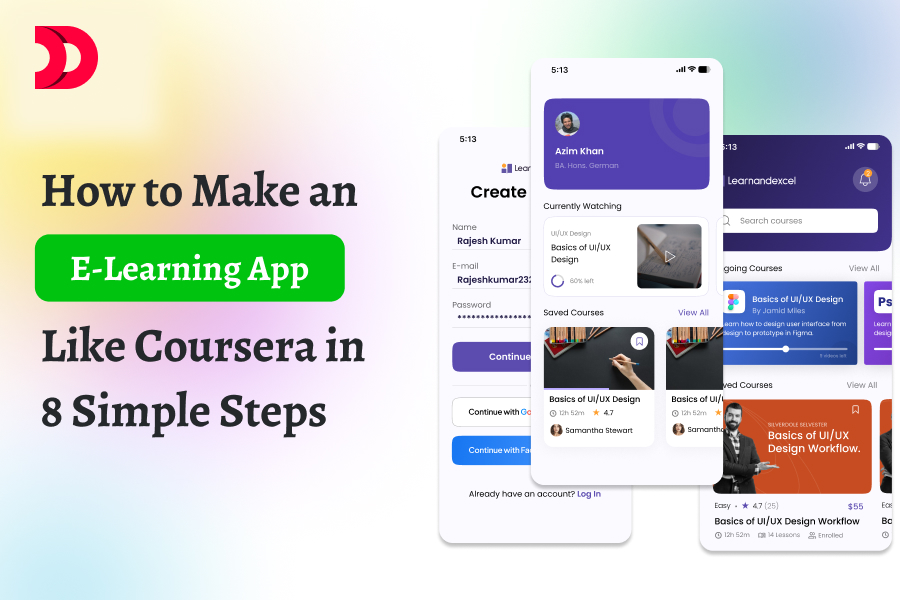
How to Make an E-Learning App Like Coursera in 8 Simple Steps

The e-learning industry is booming, with platforms like Coursera leading the charge in delivering accessible, high-quality education. Building an e-learning app like Coursera may seem daunting, but with a clear roadmap, you can create a robust platform that connects learners and educators. Here’s a step-by-step guide to help you develop your own e-learning app in 8 simple steps.

Step 1: Define Your App’s Goals and Features

Start by outlining the purpose of your e-learning app. Do you want to offer professional courses, academic tutoring, or niche skills training? Identify your target audience—students, professionals, or hobbyists—and their needs. Key features to consider include:

  • Course Catalog: A searchable library of courses with filters for category, level, or instructor.
  • User Profiles: Accounts for learners and instructors with progress tracking.
  • Video Streaming: High-quality, adaptive streaming for course videos.
  • Quizzes and Assessments: Interactive quizzes and assignments to test knowledge.
  • Certificates: Digital credentials for course completion.
  • Community Features: Discussion forums or chat for learner interaction.
  • Payment System: Subscription or pay-per-course models.

Research competitors like Coursera to identify must-have features and unique selling points for your app.

Step 2: Conduct Market Research

Understand your market by analyzing competitors and user preferences. Study platforms like Coursera, Udemy, or Khan Academy to identify their strengths and gaps. Use surveys or social media platforms like X to gather feedback on what learners and instructors want. Key questions to answer:

  • What subjects or skills are in demand?
  • What pricing models work best for your audience?
  • Are there underserved niches you can target?

This research will shape your app’s value proposition and help you stand out.

Step 3: Choose the Right Tech Stack

Selecting the right technology is critical for scalability and performance. Since you’re building a web-based e-learning app, consider the following tech stack:

  • Frontend: React.js with Tailwind CSS for a responsive, modern interface.
  • Backend: Node.js with Express for handling API requests and server logic.
  • Database: PostgreSQL for structured data like user profiles and course details, or MongoDB for flexibility with unstructured data.
  • Video Streaming: Use a service like AWS Elemental MediaLive or Vimeo for reliable video delivery.
  • Authentication: Firebase Authentication or OAuth for secure user logins.
  • Payment Processing: Stripe or PayPal for handling transactions.
  • Hosting: AWS or Firebase for scalable cloud infrastructure.

This stack ensures your app is fast, secure, and scalable, similar to Coursera’s architecture.

Step 4: Design an Intuitive User Interface

User experience (UX) is critical for e-learning apps. Design a clean, intuitive interface that makes navigation effortless. Key design principles:

  • Simplicity: Use a minimalistic layout with clear calls-to-action (e.g., “Enroll Now” buttons).
  • Accessibility: Ensure compatibility with screen readers and support for multiple languages.
  • Mobile Responsiveness: Optimize for both desktop and mobile users, as many learners use smartphones.

Use tools like Figma or Adobe XD to create wireframes and prototypes. Test your designs with potential users to refine the UX.

Read More-  Create Your Own Ride-Sharing App Like Lyft: 8 Simple Steps

Step 5: Develop Core Features

Start building the app by focusing on the minimum viable product (MVP). Prioritize these core features:

  • Course Management: Allow instructors to upload videos, quizzes, and materials.
  • User Dashboard: Display enrolled courses, progress, and certificates for learners.
  • Search and Filters: Enable users to find courses by keyword, category, or rating.
  • Secure Payments: Integrate a payment gateway for seamless transactions.

Use agile development methodologies to build and test features iteratively. Frameworks like React can streamline frontend development, while Node.js ensures a robust backend.

Step 6: Integrate Video Streaming and Content Delivery

Video is the backbone of e-learning apps. Partner with a content delivery network (CDN) like Cloudflare or AWS CloudFront to ensure smooth video streaming with minimal buffering. Implement adaptive bitrate streaming to adjust video quality based on the user’s internet speed. For security, use DRM (Digital Rights Management) to prevent unauthorized downloading of course content.

Step 7: Test and Deploy the App

Thorough testing is essential to ensure a bug-free experience. Conduct:

  • Functional Testing: Verify that all features (e.g., video playback, quiz submission) work as intended.
  • Performance Testing: Test load times and scalability under high user traffic.
  • Security Testing: Check for vulnerabilities in authentication, payments, and data storage.

Once testing is complete, deploy the app on a cloud platform like AWS or Firebase. Use CI/CD pipelines to automate updates and ensure smooth deployments.

Step 8: Market and Scale Your App

After launching, focus on attracting users and scaling your platform. Strategies include:

  • Marketing: Use SEO, social media ads, and content marketing to drive traffic. Share updates and success stories on platforms like X to build buzz.
  • Partnerships: Collaborate with universities, professionals, or influencers to create exclusive courses.
  • Analytics: Use tools like Google Analytics or Mixpanel to track user engagement and refine features.
  • Feedback Loop: Encourage user reviews and iterate based on feedback to improve the app.

Scaling may involve adding features like gamification (badges, leaderboards) or expanding to new markets with localized content.

Estimating the Cost to Build an E-Learning App

The cost of building an e-learning app like Coursera depends on factors like complexity, features, team size, and location of the development team. Below is a breakdown of potential costs for a minimum viable product (MVP):

  • Planning and Research (Step 1-2): $2,000–$5,000 for market research, competitor analysis, and defining requirements. This may involve hiring consultants or using survey tools.
  • Design (Step 4): $5,000–$15,000 for UI/UX design, including wireframes, prototypes, and user testing. Freelance designers charge $30–$80/hour, while agencies may cost more.
  • Development (Step 3, 5-6): $20,000–$80,000 for frontend and backend development, including video streaming integration. Developer rates vary by region:
    • North America/Europe: $50–$150/hour
    • Asia (e.g., India): $20–$50/hour
    • A small MVP with core features (course catalog, user profiles, video streaming, payments) typically takes 1,000–2,000 hours.
  • Third-Party Services:
    • Video Streaming (e.g., AWS Elemental or Vimeo): $500–$2,000/month for hosting and bandwidth, depending on user volume.
    • Payment Gateway (e.g., Stripe): 2.9% + $0.30 per transaction.
    • Cloud Hosting (e.g., AWS): $100–$1,000/month based on traffic and storage.
  • Testing and Deployment (Step 7): $3,000–$10,000 for functional, performance, and security testing, plus initial deployment costs.
  • Marketing and Launch (Step 8): $5,000–$20,000 for initial marketing campaigns, SEO, and social media ads.

Total Estimated Cost for MVP: $35,000–$150,000, depending on complexity and team location. Ongoing costs (hosting, maintenance, marketing) may range from $1,000–$5,000/month. To reduce costs, consider using pre-built platforms like LearnWorlds or Teachable for $5,000–$20,000, though they offer less customization.

For a fully custom app with advanced features (e.g., AI recommendations, live classes), costs could exceed $200,000. Always budget for post-launch maintenance and updates (10–20% of initial development cost annually).

Conclusion

Building an e-learning app like Coursera requires careful planning, the right technology, and a focus on user experience. By following these 8 steps—defining goals, researching the market, choosing a tech stack, designing a great UI, developing core features, integrating video streaming, testing rigorously, and marketing effectively—you can create a successful platform that empowers learners worldwide. Factor in costs early to align with your budget, and consider starting with an MVP to test the market. Start small, iterate based on feedback, and scale as your user base grows.

Ready to start? Dive into your project and bring education to the masses!