Chat on WhatsApp

Top 6 Reasons Angular is a Powerful Framework

In the ever-evolving landscape of web and mobile app development, Angular has emerged as a preferred choice for organizations seeking to deliver exceptional user experiences. Built with the Model-View-ViewModel (MVVM) architecture, Angular offers a robust framework that emphasizes declarative UI, code consistency, and modular structures. Let’s delve into six compelling reasons why Angular stands out in the world of web development.

Two-Way Data Binding:

Angular’s automatic synchronization through two-way data binding distinguishes it from other frameworks. This feature ensures seamless communication between the Model and View components, facilitating real-time updates when data is modified. This eliminates the need for manual interventions, saving developers time and effort.

Bug Fixes and Enhancements:

Continual improvements and bug fixes characterize the evolution of Angular. The latest versions address issues across the compiler, routing, core, service workers, and modules. This commitment to refinement enhances the framework’s stability, ensuring a smooth development experience for Angular developers.

Code Consistency and Reusability:

Angular promotes code consistency through the Angular CLI and a comprehensive documentation style guide. The CLI facilitates project initiation, testing, and feature integration, fostering a unified approach within development teams. Additionally, Angular’s focus on code reusability streamlines the development process, allowing for the inclusion of advanced functionalities with concise code.

Default Ivy Renderer:

The introduction of the Ivy renderer in Angular’s latest engine brings optimized bundle sizes and faster component loading. This not only enhances code debugging but also provides users with a more efficient and enjoyable app experience. With reduced file sizes, Angular becomes a feature-rich platform for app development.

Declarative UI:

Angular leverages HTML, a less complex language compared to JavaScript, to create a declarative and intuitive user interface. This approach eliminates the need for extensive planning and program flow considerations. Angular developers can focus on mapping out essential components, allowing the framework to handle the rest.

Supported by Google:

Angular’s backing by Google, a technology giant, adds a layer of credibility to its framework. The support includes Long-Term Support (LTS) for enterprise applications, ensuring scalability and reliability. Major brands like Netflix, Gmail, YouTube TV, and Upwork have chosen Angular, attesting to its robust capabilities.

Conclusion:

Choose Angular for web and mobile app development offers a multitude of benefits, ranging from efficient two-way data binding to the support of industry leaders like Google. At Devstree UK, we specialize in comprehensive Angular Development Services, providing expertise from strategy formulation to building scalable single-page and cross-platform applications. Elevate your web and mobile app projects with Angular – connect with us to
Developing a Chatbot from Scratch: Essential Steps and Tips

In today’s digital age, chatbots have become essential tools for businesses, enhancing customer service, streamlining processes, and improving user engagement. Whether you’re looking to build a chatbot for customer support, personal assistance, or entertainment, this guide will walk you through the essential steps and tips to develop a chatbot from scratch.

Understanding Chatbots: What They Are and Why You Need One

What is a Chatbot?

A chatbot is a software application designed to simulate human conversation. They can interact with users via text or voice, providing information, performing tasks, or just keeping the conversation going.

Why Develop a Chatbot?

  • 24/7 Availability: Chatbots can operate around the clock, ensuring your business is always accessible.
  • Cost Efficiency: Reducing the need for extensive customer service teams.
  • Scalability: Handling multiple queries simultaneously without compromising on quality.
  • Enhanced User Experience: Providing quick responses and personalized interactions.

Step-by-Step Guide to Developing a Chatbot

Define the Purpose of Your Chatbot

Before diving into development, clearly outline what you want your chatbot to accomplish. Is it for customer support, lead generation, personal assistant tasks, or something else? Understanding its purpose will guide the design and functionality.

 Choose the Right Platform

Select the platform where your chatbot will interact with users. Options include:

  • Social Media: Facebook Messenger, WhatsApp
  • Websites: Integrated on your company’s website
  • Mobile Apps: Standalone or integrated within an existing app

Design the Conversation Flow

Plan the conversation pathways. Consider the types of questions users might ask and how your chatbot should respond. Create a flowchart to visualize these interactions.

Tips:

  • Keep responses concise and relevant.
  • Implement fallback responses for unexpected queries.
  • Incorporate a human handover option for complex issues.

Select Development Tools and Technologies

Depending on your technical skills and project requirements, choose from various tools and frameworks:

  • Platforms: Dialogflow, Microsoft Bot Framework, Rasa
  • Programming Languages: Python, JavaScript, Node.js

Develop and Train Your Chatbot

Start building your chatbot using your selected tools. Key tasks include:

  • Scripting Responses: Writing the initial set of responses for common queries.
  • Natural Language Processing (NLP): Training the bot to understand and process user inputs.
  • Machine Learning: Enhancing the bot’s ability to learn from interactions and improve over time.

If you lack in-house expertise, consider hiring a chatbot developer from a reputable mobile app development company. They can help you build a chatbot from scratch that meets your specific requirements.

Integrate with Backend Systems

For more advanced functionality, integrate your chatbot with backend systems such as CRMs, databases, or other APIs. This enables the bot to fetch and provide real-time information, enhancing its utility.

Test Your Chatbot

Before going live, rigorously test your chatbot:

  • Functionality Testing: Ensure all features work as expected.
  • User Experience Testing: Simulate user interactions to refine responses and flow.
  • Load Testing: Check how the bot handles multiple simultaneous interactions.

Launch and Monitor

Once testing is complete, deploy your chatbot. Post-launch, continuously monitor its performance:

  • User Feedback: Collect and Analyze user feedback for improvements.
  • Analytics: Use analytics tools to track engagement, response times, and user satisfaction.

Tips for Enhancing Your Chatbot

  • Personalization: Tailor responses based on user data to make interactions more engaging.
  • Regular Updates: Continuously update your chatbot to handle new queries and improve performance.
  • Voice Capabilities: Consider adding voice interaction features for a more dynamic user experience.
  • Security Measures: Implement robust security protocols to protect user data and ensure privacy.

Conclusion

Developing a chatbot from scratch can be a rewarding endeavor, significantly enhancing your business’s digital interaction capabilities. By following these essential steps and tips, you’ll be well on your way to creating a chatbot that not only meets but exceeds user expectations. Embrace the power of chatbots and watch your user engagement and satisfaction soar. If you need expert assistance, don’t hesitate to hire a mobile app developer from a trusted mobile app development company to ensure your chatbot is built to the highest standards.

How to Build a Car Rental App Like HiyaCar

In today’s fast-paced world, car rental apps like HiyaCar have revolutionized the way people rent and share vehicles. These apps offer convenience, flexibility, and a seamless user experience, making car rentals more accessible than ever before. If you’re looking to build a car rental app similar to HiyaCar, this comprehensive guide will walk you through the essential steps and features required to create a successful and competitive app.

Market Research and Planning

Before diving into development, thorough market research is crucial. Understand your target audience, identify competitors, and analyze market trends. This will help you define your unique selling points and create a solid business plan. Consider factors like:

  • Target demographics and geographical focus.
  • Pricing models and rental duration options.
  • The types of vehicles your app will offer.

Defining Core Features

To build a car rental app like HiyaCar, you need to include essential features that enhance user experience and functionality. Key features to consider are:

  • User Registration and Authentication: Allow users to sign up and log in using email, phone numbers, or social media accounts. Implement verification processes to ensure security and trust.
  • Vehicle Listings: Provide detailed listings of available vehicles with photos, descriptions, pricing, and availability. Include filters and search options to help users find the right vehicle.
  • Booking and Reservations: Enable users to book vehicles for specific dates and times. Implement a calendar feature to show availability and avoid double bookings.
  • Payment Integration: Integrate secure payment gateways to process transactions. Offer multiple payment options such as credit/debit cards, digital wallets, and in-app payments.
  • User Reviews and Ratings: Allow users to leave reviews and ratings for both vehicles and rental experiences. This builds trust and helps users make informed decisions.
  • GPS and Navigation: Integrate GPS functionality to help users locate and navigate to rental vehicles. Provide real-time tracking for added convenience.
  • Push Notifications: Send notifications for booking confirmations, reminders, special offers, and updates.
  • Customer Support: Offer in-app customer support through chat, email, or phone. Provide FAQs and help sections to assist users.

 Choosing the Right Technology Stack

Selecting the right technology stack is critical for the performance, scalability, and security of your app. For a car rental app like HiyaCar, consider the following technologies:

  • Geolocation Services: Use Google Maps API or Mapbox for GPS and navigation functionalities.
  • Payment Integration: Integrate payment gateways like Stripe, PayPal, or Braintree for secure transactions.
  • Cloud Services: Utilize cloud services like AWS, Google Cloud, or Azure for hosting, storage, and scalability.
  • Back-End Development: Opt for Node.js or Ruby on Rails for server-side development. Use a robust database like MongoDB or PostgreSQL.
  • Front-End Development: Use React Native or Flutter for a cross-platform mobile app that works seamlessly on both iOS and Android.

Designing an Intuitive User Interface

A user-friendly and visually appealing design is crucial for attracting and retaining users. Focus on creating an intuitive user interface (UI) that enhances the overall user experience (UX). Key design principles include:

  • Simplicity: Keep the design clean and straightforward. Avoid clutter and focus on essential features.
  • Consistency: Maintain consistency in design elements, such as fonts, colors, and buttons, to provide a cohesive experience.
  • Responsiveness: Ensure the app works seamlessly on different devices and screen sizes.
  • Visual Appeal: Use high-quality images and graphics to make the app visually appealing.

Development and Testing

With your features defined and technology stack selected, it’s time to start development. Follow these steps:

  • MVP Development: Begin with a Minimum Viable Product (MVP) that includes core features. This allows you to launch quickly and gather user feedback for improvements.
  • Agile Methodology: Use agile development practices to iterate and improve the app continuously. Break the development process into sprints and prioritize tasks.
  • Testing: Conduct thorough testing to identify and fix bugs. Perform usability testing to ensure a smooth user experience. Test the app on multiple devices and platforms.

Launching and Marketing

Once your app is developed and tested, it’s time to launch and market it. Follow these steps:

  • App Store Submission: Submit your app to the Apple App Store and Google Play Store. Ensure you comply with their guidelines and policies.
  • Marketing Strategy: Develop a comprehensive marketing strategy to promote your app. Utilize social media, content marketing, influencer partnerships, and paid advertising.
  • User Onboarding: Create an effective onboarding process to guide new users through the app’s features and functionalities.

Gathering Feedback and Continuous Improvement

After launching your app, continuously gather user feedback to identify areas for improvement. Regularly update the app with new features, enhancements, and bug fixes to keep users engaged and satisfied.

Conclusion

Building a car rental app like HiyaCar requires careful planning, a robust technology stack, and a focus on user experience. By following the steps outlined in this guide, you can create a successful and competitive car rental app that meets the needs of your target audience. Embrace innovation, stay updated with market trends, and continuously improve your app to stay ahead in the competitive car rental industry.

Ready to turn your car rental app idea into reality? Contact Devstree UK today and let our expert developers bring your vision to life.

How Much Does It Cost to Create a Social Media App Development?

In today’s digital age, social media platforms have become an integral part of our daily lives, connecting people, sharing content, and facilitating communication like never before. If you’re considering developing a social media app, one of the crucial aspects to consider is the cost involved in bringing your vision to life. In this blog, we’ll explore the various components that contribute to the cost of social media app development, including features, design, technology stack, platform, and more. Join us as we develop into the world of social media app development cost and gain insights to help you make informed decisions for your next app development project. Let’s get started!

Various components contribute to the Cost of Social Media App Development:

Social Media app development company involves multiple components that contribute to the overall cost. Here are some key factors that can impact the cost of creating a social media app:

Features

The features you want to include in your social media app will play a significant role in determining the cost. Features such as user authentication, profile creation, social networking functionality, content sharing, messaging, notifications, and others can add to the complexity and cost of development.

Design

The design of your social media app, including the user interface (UI) and user experience (UX), will impact the development cost. Customized and visually appealing designs may require more time and effort from designers and developers, which can increase the overall cost.

Technology Stack

The technology stack you choose for your social media app can affect the cost. Different programming languages, frameworks, libraries, and tools have varying levels of complexity and may require different expertise. The cost may vary depending on the technology stack you select.

Platform

The platform you choose to develop your social media app on, such as iOS, Android, or both, can impact the cost. Developing multiple platforms will require additional effort and resources, which may increase the overall cost.

Backend Development

Backend development, which includes server-side infrastructure, database management, and API integration, can also contribute to the cost of social media app development. Complex backend functionalities, such as real-time data processing, user management, and content management, may require additional resources and expertise, which can affect the cost.

Testing and Quality Assurance

Testing and quality assurance are crucial steps in app development to ensure that the app functions properly and is free from bugs and errors. Allocating sufficient resources for thorough testing and quality assurance processes can impact the overall cost.

Additional Features

If you plan to include additional features in your social media app, such as integration with third-party APIs, payment gateways, or advanced analytics, these may add to the development cost.

Project Management

Successful app development requires effective project management.The cost may also include project management efforts, such as communication, coordination, and resource allocation, which can impact the overall cost.

Benefits of Social Media Applications:

Here are some benefits of social media applications:

Content Sharing

Social media apps allow businesses to share various types of content, including photos, videos, articles, and more. It provides a platform for creative expression and allows businesses to showcase their perspectives to a wide audience.

Networking and Collaboration

Social media apps provide opportunities for networking and collaboration among individuals and businesses. It facilitates professional networking, job searches, and business collaborations, creating a platform for meaningful connections and opportunities.

Brand Building and Marketing

Social media apps are powerful tools for brand building and marketing. Businesses can leverage social media platforms to promote their products or services, engage with customers, and build a loyal customer base. Social media apps also provide valuable insights and data for businesses to understand their target audience and optimize their marketing strategies.

What Does It Cost to Develop a Social Network App?

The cost to develop a social media application can vary greatly depending on the complexity, features, technology stack, platform, design, backend development, testing, and project management. 

A basic social media app with essential features may cost around €25,000 to €30,000, while a mid-level app with additional functionalities can range from €70,000 to €80,000. A complex social media app with advanced functionalities may cost €80,000 to €100,000 or more. 

It’s important to carefully plan, research, and collaborate with an experienced Mobile app Development Company and team to get an accurate estimate and manage the cost-effectively.

Bottom Line

Proper planning, research, and collaboration can help ensure a successful social media app development project within the estimated budget. If you are looking for a Mobile app Development Company in London, then connect with us now. We are a well-known App Development Company UK that provides mobile app development services. Hire Social Media app Developer from us now.

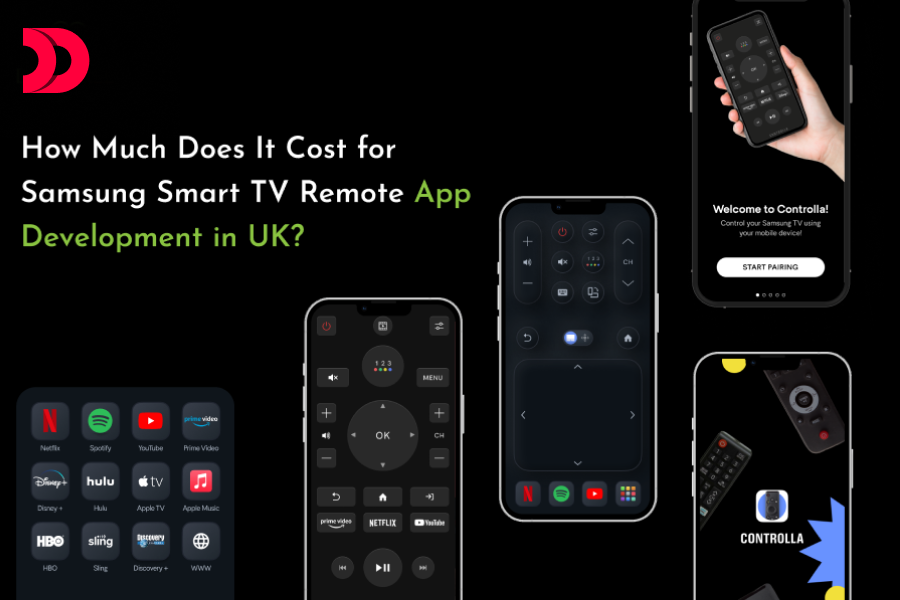
How Much Does It Cost for Samsung Smart TV Remote App Development in UK?

In the rapidly evolving world of technology, smart home devices have become increasingly prevalent, with smart TVs being a key component of this trend. Samsung, a leader in the smart TV market, offers a range of features that enhance user experience. One of the most sought-after additions is the development of a custom remote control app for Samsung Smart TVs. But how much does it cost to develop such an app in the UK? Let’s delve into the details.

Factors Influencing the Cost of Development

The cost of developing a Samsung Smart TV remote app can vary significantly based on several factors:

App Complexity and Features

Basic Features: A simple remote app that offers basic functionalities such as power on/off, volume control, and channel switching might cost less.

Advanced Features: Incorporating advanced features like voice control, gesture controls, smart home integration, personalized user profiles, and content recommendations will increase the cost.

Platform Compatibility

Single Platform: Developing the app for a single platform (e.g., Android or iOS) is cheaper.

Cross-Platform: If you want the app to be compatible with both Android and iOS, the cost will rise due to additional development and testing efforts.

UI/UX Design

Basic Design: A straightforward, functional design is less costly.

Advanced Design: A more sophisticated and user-friendly interface with custom animations and interactions requires more design work and thus costs more.

Integration with Samsung’s APIs

Standard Integration: Utilizing Samsung’s existing APIs for basic remote functions.

Custom Integration: Developing custom integrations for unique functionalities and enhanced user experiences can add to the development cost.

Development Team and Location

UK-Based Developers: Hiring a development team based in the UK typically involves higher costs compared to outsourcing to countries with lower living costs.

Outsourcing: Outsourcing development to regions like Eastern Europe or Asia can reduce costs but may involve additional challenges like time zone differences and communication barriers.

Maintenance and Updates

Initial Development: The initial cost covers the development and deployment of the app.

Ongoing Maintenance: Regular updates, bug fixes, and improvements are essential for maintaining app performance and compatibility with new TV models and operating system updates.

Estimated Costs

Based on these factors, here is a rough estimate of the costs involved in developing a Samsung Smart TV remote app in the UK:

Basic App: £10,000 – £20,000

Includes basic remote functions and standard UI/UX design for a single platform.

Mid-Range App: £20,000 – £50,000

Features more advanced controls, cross-platform compatibility, and enhanced UI/UX design.

High-End App: £50,000 – £100,000+

Offers comprehensive features such as voice and gesture controls, smart home integration, personalized user profiles, and custom designs.

Conclusion

The cost of developing a Samsung Smart TV remote app in the UK can vary widely based on the complexity of the app, the features you want to include, the platform compatibility, and the location and expertise of your development team. By understanding these factors, you can better plan your budget and ensure that you get a high-quality app that meets your needs.

Investing in a well-designed, feature-rich remote app can significantly enhance the user experience, providing convenience and control at your fingertips. If you’re considering developing such an app, it’s crucial to work with an experienced mobile app development company. They can bring your vision to life while keeping costs within your budget.

Choosing the Right Development Partner

To ensure the success of your project, it’s essential to hire mobile app developers with a proven track record. Whether you’re looking for an Android app development company or a cross-platform development team, the right partner can make all the difference.

For personalized estimates and to discuss your specific requirements, feel free to reach out to professional mobile app development companies. They can provide detailed quotes and help you understand the best approach for your project.

Get in Touch

If you have any questions or need more information about developing a Samsung Smart TV remote app, don’t hesitate to contact us. Devstree IT Services – Mobile app development Company, our team of experts is here to guide you through the process and ensure your project’s success. You have also check our Samsung smart TV remote app.

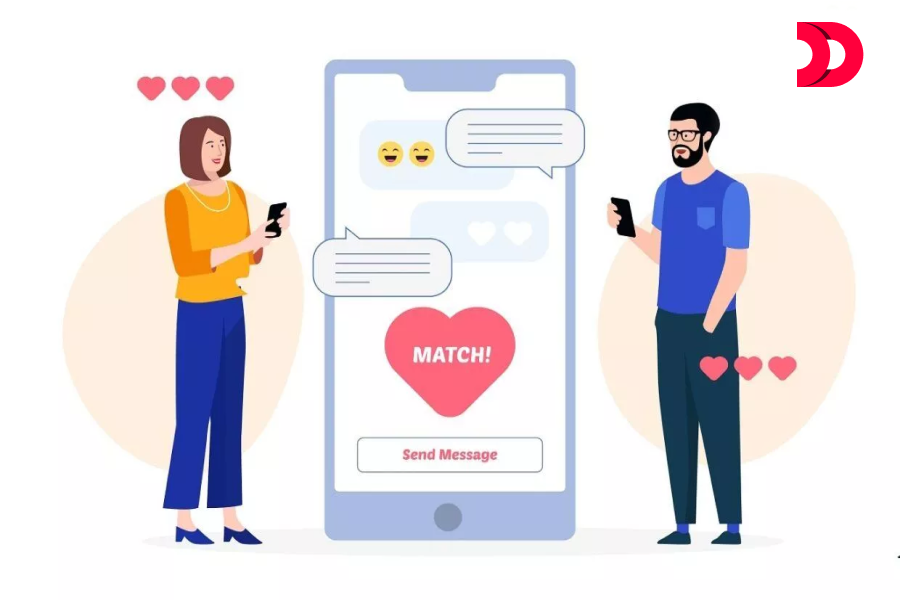
How Much Does it Cost to Create a Dating App Similar to Tinder?

Introduction In today’s digital age, online dating has become a prevalent way for people to connect and find potential partners. Tinder, one of the most popular dating apps, has revolutionized the way people interact and date. If you’re considering developing a dating app like Tinder, one of the key factors to consider is the cost. From designing the user interface to developing the backend infrastructure, creating a dating app involves various components that contribute to the overall Dating app development cost. In this blog, we will delve into the different aspects that impact the cost of building a dating app like Tinder, providing you with valuable insights to better understand the investment required to bring your dating app idea to life.

How to Build an app like Tinder: Technologies and Features 

Building an app like Tinder requires a combination of technologies and features to create a robust and user-friendly dating app. Here are the key steps and components to consider:

Choose the right platform

Decide whether you want to build a native app for iOS, Android, or both, or opt for a cross-platform solution like React Native or Flutter to target both platforms simultaneously.

Backend Development

Develop a scalable and secure backend using a server-side technology stack such as Node.js, Ruby on Rails, or Django. This will handle user authentication, data storage, and matching algorithms.

User authentication and profiles

Implement a secure user authentication system that allows users to sign up, create profiles, and log in. Users should be able to edit their profile information, upload photos, and set preferences for their matches.

Matching Algorithm

Develop a matching algorithm that uses user preferences, location, and other relevant factors to match users with potential matches. This algorithm should be efficient and scalable to handle a large number of users.

Geolocation and real-time updates

Use geolocation services to allow users to find matches based on their location. Implement real-time updates to show users when new matches are available or when someone likes their profile.

Messaging and notifications

Implement messaging features that allow users to communicate with each other within the app. Set up push notifications to keep users informed about new messages, likes, and other relevant updates.

Social media integration

Allow users to sign up and log in using their social media accounts like Facebook or Google. You can also integrate social media features like sharing profile information or photos on social media platforms.

Payment integration

If you plan to offer premium features or subscription plans, integrate a secure payment system that allows users to make in-app purchases or subscribe to premium plans.

UI/UX design

Create an appealing and intuitive user interface (UI) and user experience (UX) that is easy to navigate and provides a seamless and enjoyable user experience.

Testing and security

Conduct thorough testing to ensure that the app is stable, secure, and free from any vulnerabilities. Implement security measures like encryption, authentication, and authorization to protect user data.

Admin Panel

Develop an admin panel to manage users, handle reported profiles, and monitor the overall performance of the app.

Beta testing and Feedback

Launch a beta version of the app to a limited audience and gather feedback to make improvements before the official release.

Building an app like Tinder requires a combination of frontend and backend technologies, including but not limited to React Native, Flutter, Node.js, Ruby on Rails, Django, geolocation services, push notifications, payment gateways, social media APIs, and UI/UX design tools. Hire Dating app developer with the appropriate knowledge and skills. 

It is essential to prioritize user privacy and data security throughout the development process. Consulting with experienced Mobile App Development Services in London and conducting thorough testing is crucial to ensure a successful and reliable app.

How much does it cost to create an app like Tinder?

The cost to develop an app like Tinder can vary significantly depending on various factors such as the complexity of features, the platform (iOS, Android, or both), the development team’s location and rates, and the overall development timeline. As a rough estimate, developing a basic version of a Tinder-like app with standard features could start from €40,000 to €80,000. 

However, if you want to include advanced features, such as complex matching algorithms, real-time messaging, and social media integration, the cost can increase significantly. 

It’s crucial to work with a reputable Dating app development company or Mobile app development company and carefully plan your budget to ensure a successful and cost-effective app development process.

Bottom line:

The overall cost of developing a Tinder-like app can vary depending on the complexity of features, platform, team location, and timeline. Working with a reputable App Development Company UK, planning the budget carefully, and prioritizing user privacy and data security are critical to creating a successful dating app.