Chat on WhatsApp

Ultimate Guide on Hiring an iOS Developer

Introduction: Accept it or not, Mobile applications have become indispensable to our daily lives. Whether for personal or business use, mobile apps are a convenient way to access information, products, and services. As the demand for mobile apps continues to grow, so does the need for skilled iOS developers to create innovative and user-friendly applications for Apple devices. If you’re planning to develop an iOS app, you must Hire iOS Developers who can turn your vision into reality. However, finding the right iOS app development service provider can be daunting. In this guide, we’ll provide you with all the information you need to know about hiring iOS app development Company or how to hire iOS app developers. Let’s get started!

The Advantages of Creating an iOS App

Large and Engaged Audience

One of the significant advantages of creating an iOS app is the vast audience of Apple device users. With millions of iPhones and iPads in use globally, businesses can reach a broad customer base, potentially increasing their reach and engagement.

High-Quality User Experience

iOS apps are known for their high-quality user experience, making them an excellent choice for businesses that want to provide customers with a seamless and engaging experience. Apple’s strict app development guidelines and quality standards ensure that iOS apps are well-designed, easy to use, and perform reliably.

Potential Revenue Stream

iOS apps can be monetized in various ways, such as through in-app purchases or subscription models, providing businesses with a potential revenue stream. For example, a business that sells products can use an iOS app to offer customers an easy and convenient way to purchase products and services, potentially increasing sales.

Brand Recognition and Credibility

Developing an iOS app can enhance brand recognition and credibility. Apple’s reputation for innovation and quality can reflect positively on businesses that develop iOS apps, helping to build trust with customers and stand out in a competitive marketplace.

Essential Skills to Consider for iOS Developers:

If you’re planning to Hire iOS developer, there are certain skills and qualifications you should look for to ensure that you are hiring a dedicated team for iPhone apps that can create high-quality and user-friendly iOS apps. 

Here are Some Fundamental Considerations:

iOS Development Experience

A good iOS developer should have experience in iOS app development, including knowledge of programming languages such as Swift or Objective-C, and familiarity with iOS app development tools like Xcode and Interface Builder.

Portfolio

A developer’s portfolio is an excellent way to evaluate their skills and expertise in iOS app development. Look for previous projects they have worked on and assess the quality of their work, including user interface design, functionality, and user experience.

Understanding of User Experience (UX)

An excellent iOS app should have a well-designed and intuitive user interface that provides a seamless user experience. Look for a developer who has a good understanding of user experience design principles and can create an app that is easy to use and navigate.

Options for Hiring Remote App Developers:

If you’re looking to hire remote app developers, there are several options to consider:

Freelance Platforms

Websites like Upwork, Freelancer, and Fiverr connect you with freelance app developers from all over the world. You can post a job, review bids from developers, and choose the one that best fits your needs.

Use Referrals

If you know someone who has hired a remote app developer in the past, ask them for a referral. Referrals can be a great way to find quality talent and ensure that you’re working with someone who has a proven track record.

Development Agencies

There are many iOS app development companies that specialize in building iOS mobile apps. These agencies typically have a team of developers and designers who can work together to create a high-quality app for you.

Social Media

You can use social media platforms like LinkedIn, Twitter, and Facebook to search for app developers who work remotely. You can also post job openings on your social media accounts to reach a wider audience.

Bottom Line

In summary, when you hire remote developers, it’s essential to define job requirements and make a decision based on factors such as technical skills, work experience, and communication skills. 

By following these steps, you can Hire iOS app Developerswho can develop high-quality and user-friendly iOS apps that meet your business needs. If you are planning for hiring iOS app development company,  then get in touch with us now.

Guide to Developing a Flutter App in 2026

Startups and businesses often have the question of whether they should launch their app for Android and iOS first. What about the fact that it is possible to create an application for both platforms by using one code? This is an option offered by cross-platform technologies like Flutter. We’ll help discover more about its incredible capabilities!

What exactly is Flutter?

It’s an Software Development Kit (SDK) developed by Google and made available as an open source project. Flutter was built on Google’s own programming language Dart that at the time was developed for applications that placed particular emphasis on the quality of design and customer service.

It allows developers to create cross-platform mobile, web, and desktop apps from an identical code base for Android along with iOS, Windows, and Linux. From a commercial point of perspective, this is extremely beneficial, as it only requires one code, which is less time and requires just one group of experts and the whole process is cheaper.

It is important to note that Google has done a superb job using Flutter in that it does not just openly announce the changes it plans to make, but also works to implement them in accordance with the opinions that is being voiced by Flutter’s Flutter community. In addition, many of the Google-owned companies have already moved the platforms they use to Flutter, which shows the confidence Google is placing in the Flutter tool. These include brands such as Google Pay, Google Ads, Blogger, Google Analytics, Cloud Search, and NestHub.

Examples of the Applications that were developed using Flutter

Google Ads

Google AdWords is an excellent illustration of the application of Flutter technology since it was developed exclusively using it. It’s a platform that can be used to improve its effectiveness in marketing techniques and allows the advertising of other products, and improves the exposure of websites. By using Google Ads, users can effortlessly monitor their advertising and marketing practices.

Alibaba

It is among the biggest eCommerce companies worldwide Its platform was built by Flutter. A large number of people utilize it daily. With Flutter’s advanced technology, users can experience an effortless transaction process and a clean UX/UI. Flutter was created by a team of programmers from Xianyu which has been downloaded over fifty million times. Alibaba offered an app that was pre-built that was based on Flutter was to implement its functions in a sequential manner by adding each feature. Selecting Flutter helped the team cut down on time, which definitely resulted in a positive return. At present, Alibaba has more than 10 million

Cryptograph

The Cryptograph application allows users to be informed of changes in the rates of cryptocurrency. This lets users track changes in price and then analyze the effects of these fluctuations. Cryptograph is an application developed using Flutter which makes getting the most up-to-date exchange rate information for all cryptocurrency a breeze.

Groupon

Groupon offers an on-line marketplace that allows users to make a variety of kinds of purchases in local and travel-related services. The company decided to integrate Flutter into its current solution to avoid having to write an entirely new application. This is due to Groupon already used two kinds of apps (customer-facing as well as merchant-facing) both of which had many downloads. Therefore, the use of off-the-shelf apps was a sensible choice in this instance.

Why is Flutter the top cross-platform Framework?

But, the growing popularity of Flutter is due to numerous other factors that make it a highly valued tool with a lot of potentials. These are the most frequently stated benefits:

Hot Reload is a Hot Reload function allows making immediate modifications in the program. This is due to the fact that it’s possible to see all modifications made to the application while they are being created. This results in a significant decrease in time for production, as it doesn’t need restarting the application following making any changes to the code in order to verify the effects.

  • Flutter lets you create dynamic user interfaces with layers, and widgets along with the interactive resource. Two sets of widgets are accessible to developers: Material Design, which adheres to Google’s design guidelines, and Cupertino is Apple’s rules for its iOS user interface for devices.
  • Since Flutter is an open-source tool and its community is extremely advanced, offering great assistance during the process of developing a product as well as, on top of that, it’s backed by Google.
  • Flutter is simple and has clear documentation.
  • It is highly compatible with a variety of operating systems.

What are the Benefits of making use of Flutter?

Utilizing Flutter to create applications has numerous benefits to entrepreneurs and Flutter app developers. The most important benefits to mention are:

One code Base.

This is among the major advantages of Flutter. This solution means that you only have to create one code that can be used anyplace. You can stop creating long code for each platform individually and switch scripts and components seamlessly across iOS, Android, or Windows

Performance is close to Native

One of the main benefits to Flutter is its speed. Applications developed in Flutter can be converted to local code that significantly improves their speed. Furthermore, Flutter’s graphics engine aims to operate at sixty frames per second and, if the device supports the device to allow it, Flutter can maintain up to 120 frames per second. There are tools available to developers’ disposal that can identify any performance issues.

Rapid delivery time.

The development of a single application is much quicker than developing two distinct native applications that are devoted to just an operating system.

Lower costs for implementation

The process of creating and implementing separate mobile applications that are compatible with Android and iOS generally comes at the expense of. It is essential to establish two teams for development in both environments. Flutter, as a cross-platform platform technology, dramatically reduces the price that is comparable to the creation of a Progressive Web App (PWA).

User growth

Multi-platform applications are available simultaneously across every distribution channel and allows you to reach the maximum number of users.

A Few disadvantages to using Flutter

There are numerous advantages for Flutter, there are also some drawbacks to Flutter however, just like every other technology it has its own drawbacks which you need to know about.

One of the major drawbacks of Flutter is the high level of entry. The process of learning Flutter requires an understanding of native development. This is required to allow it to create a cross-platform app. This is a feature that could create difficulties for newbies to incorporate in Flutter particularly since the Dart language is comparatively less well-known than JavaScript for instance. Flutter has also the disadvantage of being able to integrate with native APIs that require the writing of native code.

How Flutter Reduces Development Costs?

In general, there’s the need for around three experts (each making use of a different technology) to create products for various platforms. When working with Flutter it’s possible to reduce costs for a single developer since you can launch your product on several platforms using one code base. A single base code significantly reduces the costs of managing projects (by 20 to 25 percent) and the costs of development can reduce by as much as 50% because of Flutter. In the end, Flutter can provide huge savings to your budget So, both small and startups enterprises should look into the option.

Development through Flutter

Anyone who keeps track of Flutter’s updates can see that it is growing with a greater degree of excitement. The selection of Flutter by the majors of the market isn’t an accident – Flutter is a great choice and is a great choice. Its performance is high and its ability to build cross-platform apps using a single program make it a tool that can help companies by reducing time and money. If you’re looking to find out whether Flutter can meet your needs with us at Devstree- Mobile app Development Company we can look at your requirements for an application and figure out if Flutter is the best solution for your needs. We recently published a guide for startups that will aid them in developing applications using Flutter. One thing’s for certain Flutter is a worthy option due to its wide and diverse applications are getting more attractive with each new update!

How Much Does It Cost to Develop an AI Chatbot in the UK?

A chatbot powered by AI is a very strong instrument to support companies. It can assist in the areas of customer service, operations efficiency, and sales. One of the companies in the UK that is looking into this step has started thinking about the cost of creating a chatbot as one of its fundamental questions.

The answer is not a single number: it depends. It costs something in the region of a few thousand pounds for a simple solution to £100,000 plus for a sophisticated, bespoke-built system. The final cost will depend entirely upon your business aims, the complexity of the chatbot, and the team you hire to build AI chatbot.

The Cost Spectrum of AI Chatbots

The development of an AI chatbot can be explored through three major paths, all of which come with their own respective price points:

  1. Template-Based Chatbot Builders:

For an instant, an inexpensive start, the template-based platforms such as ManyChat present pre-constructed chatbots for £0-£2,000/month, which fit very small businesses that only need basic FAQ or lead generation on social media or website. However, a major downside is the limited features offered, the very generic feel, and the lack of ownership, as the chatbot will not be yours, coupled with the continuing payments that will eventually lead to high costs.

  1. Custom Chatbots:

The paramount choice for an entirely personalized and customer-oriented interaction is the creation of custom chatbots. Some of the perks that come with this solution are strong branding, CRM integration, complex task handling, and full IP ownership. It is the ideal choice for medium-sized and large businesses in the financial, e-commerce, or healthcare sectors that require an advanced and secure assistant, but it comes with a higher upfront cost and takes longer to develop.

  1. Enterprise-grade AI Solutions:

Enterprise-grade AI solutions deploy cutting-edge natural language processing and machine learning to handle difficult questions, to interact, and to automate very complex workflows. The cost for this is very high, thus it is limited to very large companies that require a very powerful AI for customer service, internal support, or data analysis, as the case may be.

Read MoreBuilding a Smart AI Tutor Chatbot: Cost, Features, and Process

Key Factors That Influence Your AI Chatbot Development Cost

When you go for an AI chatbot, there will be many basic factors that will directly affect your budget:

  • Complexity and Features: A simple FAQ bot surely costs way less than a bot handling payments, checking order status in a database, or booking appointments for users.
  • Platform and Integrations: Is the chatbot going to be on your website, WhatsApp, Facebook Messenger, or all of them at once? Adding every channel and back-end system – let’s say your CRM or payment gateway – will make the solution even more complicated.
  • UI/UX Design: An intuitive and well-designed chat interface will always be the best way to communicate with users. However, that would mean investing more money in the custom design work.
  • Basic Keyword Recognition versus True AI Understanding: Basic keyword recognition is less expensive, but more complex and costly natural language processing (NLP) models are required for real AI to understand context, sentiment, and user intention
  • Development Team: This is among the top considerations. Salaries can differ greatly depending on whether you hire AI developers in the UK, collaborate with a dedicated AI chatbot company, or send the entire development process to a foreign country.

The Team Dilemma: a Freelancer, an Agency, or an In-house team?

Your choice of the chatbot builder is a major cost determinant.

  • Freelancers: Even though freelancers may look like the most economical solution initially, there are uncertainties related to project management, long-term support, and skill sets not covered.
  • In-house team: Full control is given, but this comes with the risk of very large ongoing costs related to salaries, benefits, and software licenses.
  • Specialized Agency: The Sweet Spot Collaboration with an AI chatbot company like DevsTree provides not just one expert but a complete team of experts: project managers, AI architects, developers, and designers. It guarantees a smooth process and high-quality result, often at a predictable project cost and with reliable support.

For most UK businesses, it’s easier and more effective to hire AI chatbot experts through a reputable agency. It gives them access to the best talent available, with no overhead of recruiting and managing a full-time team. 

Conclusion:

Investing in the Right Chatbot Strategy. The cost to create AI chatbot in the UK is a variable investment into your business’s efficiency and customer engagement. The expense can be very minimal for a super simple bot, but a custom-made, machine-learning chatbot with high performance that brings in money would be a mid-five-figure investment. 

The secret is to consider this situation as a strategic investment rather than an excessive cost that will cut support expenses, boost sales, and give the customers a service channel that is available around the clock. 

We at DevsTree are an AI chatbot company that has a top-notch team of developers. Get in touch with us now for a free consultation with no strings attached. We will talk about your requirements and present you with a clear roadmap and the cost to create the AI chatbot that will revolutionize your customer interactions.

What Features Personal Finance App Must Have in 2026?

This section outlines the features that are essential for personal finance applications, which is crucial for anyone looking to create a budgeting app. What features will be most sought-after in 2026, according to predictions?

Advanced Analytics and Reports:

Empower users with comprehensive financial insights through daily, weekly, monthly, and yearly reports. Organized data should cover income, expenses by category, payee summaries, and financial forecasts for effective money management.

Synchronization Across Accounts:

Enable seamless access to all financial information on a single platform. Sync user accounts, debit and credit cards, ensuring a unified digital environment for holistic budget management.

Secure Registration and Account Creation:

Prioritize user security during registration by implementing two-factor authentication, fingerprint or voice recognition, and unique security code generation. Safeguarding sensitive financial data is crucial from the outset.

Intuitive Budgeting and Expense Categorization:

Offer users the ability to plan and manage budgets for varying durations. Allow setting spending limits and provide notifications to prevent overspending. Automatic categorization of transactions enhances tracking, revealing precise spending breakdowns.

Comprehensive Investment Tracking:

Facilitate users in monitoring expenses and making informed investment decisions. An investment tracker should cover various asset allocations, including brokerage accounts, real estate investments, mutual funds, and IRAs, ensuring a complete financial overview.

Timely Notifications and Alerts:

Incorporate a notification system that delivers timely and non-intrusive reminders. Notify users when goals are achieved or send alerts to stay within budget. Enhance user engagement with thoughtful push notifications.

User-Friendly Data Syncing:

Prioritize user convenience with a seamless and user-friendly data synchronization process. Ensure that the app effortlessly pulls information from multiple sources, offering a hassle-free experience for users managing diverse financial accounts.

Predictive Financial Forecasting:

Integrate predictive analytics to offer users insights into future financial scenarios. Forecast income, expenses, and potential savings based on historical data, empowering users to make proactive financial decisions.

Expense Analysis by AI:

Implement artificial intelligence for in-depth expense analysis. AI algorithms can identify spending patterns, offering personalized recommendations for optimizing expenses and achieving financial goals.

Interactive Financial Planning Tools:

Enhance user engagement with interactive financial planning tools. Allow users to simulate different scenarios, such as changes in income or expenses, to help them make informed decisions and adapt their financial strategies.

Accessibility and Inclusivity:

Ensure the app is accessible to a diverse user base. Incorporate features that cater to users with disabilities, ensuring an inclusive experience for all individuals seeking effective financial management.

By incorporating these features, a personal finance app in 2026 can provide a comprehensive and secure platform for users to manage their finances efficiently.

Start Building your Money App with Devstree IT Solution- your Trusted friend in the process

Devstree UK can help you create your own personal finance app! Once you’ve identified the features that your app must have, it’s time to build it. It can be difficult to develop a personal finance application because of the high level of competition and security issues that are associated with financial data. You’re on track with Devstree IT Solution UK!

Step-by-Step Guide to Developing an Android Smart TV App (2026)

Are you considering venturing into the realm of Android Smart TV app development? With the rapid evolution of technology, Smart TVs have become ubiquitous, offering users a seamless blend of entertainment and utility.

Developing apps for these platforms opens up a plethora of opportunities for businesses and developers alike. In this comprehensive guide, we will walk you through the step-by-step process of Android Smart TV app development in 2026, equipping you with the knowledge and insights necessary to embark on this exciting journey.

Understanding Android TV Development Services

Before delving into the development process, it’s essential to grasp the significance of Android TV development services. These services encompass a wide range of offerings, including app design, development, testing, and deployment tailored specifically for the Android TV platform. Collaborating with an experienced Android TV app development company can significantly streamline the development process, ensuring that your app meets the highest standards of quality and functionality.

Choosing the Right Development Partner

One of the crucial decisions you’ll make during the Android Smart TV app development process is selecting the right development partner. Whether you’re a startup or an established enterprise, hiring skilled professionals can make all the difference in the success of your project. Consider partnering with a reputable Android TV app development company that boasts a proven track record of delivering top-notch solutions. Don’t hesitate to explore your options and conduct thorough research before making your decision.

Hiring App Developers for Android Smart TV

The next step involves hiring app developers with expertise in Android Smart TV app development. Look for developers who possess a deep understanding of the Android TV platform, along with proficiency in relevant programming languages such as Java or Kotlin. Additionally, prioritize candidates who demonstrate creativity, problem-solving skills, and a passion for innovation. Whether you choose to hire in-house developers or outsource your project, ensure that your team is equipped to tackle the unique challenges of Smart TV app development.

The Development Process: Step-by-Step

Now, let’s dive into the step-by-step process of Android Smart TV app development:

Idea Generation and Market Research: Begin by brainstorming ideas for your Smart TV app and conducting thorough market research to identify potential opportunities and competition.

Conceptualization and Design: Collaborate with designers to create wireframes and design mockups that outline the user interface and user experience of your app.

Development: Leverage the Android TV development platform to bring your app to life, focusing on coding, integration of features, and optimization for the Smart TV environment.

Testing: Rigorously test your app across various Smart TV devices to ensure compatibility, performance, and usability.

Deployment: Prepare your app for deployment on the Google Play Store for Android TV, following all necessary guidelines and requirements.

Post-launch Optimization: Continuously monitor user feedback and analytics to identify areas for improvement and implement updates accordingly.

Conclusion

Android Smart TV app development presents a wealth of opportunities for businesses and developers to capitalize on the growing popularity of Smart TV platforms. By following this step-by-step guide and collaborating with the right partners, you can navigate the intricacies of Android TV development and create compelling apps that resonate with users. Whether you’re looking to hire app developers or seeking expert guidance, remember to prioritize quality, innovation, and user satisfaction every step of the way. Unlock the full potential of Android Smart TV app development and embark on a journey of creativity, ingenuity, and success in 2026 and beyond.

Android or iPhone: Which Platform Should Businesses Choose First?

Choosing the right mobile platform can define the success of your business app. Whether you’re planning to launch an e-commerce app, a fitness tracker, or a booking platform, deciding between Android and iPhone (iOS) as your first launch platform is one of the most strategic moves you’ll make.

Each platform offers unique advantages in terms of user reach, revenue potential, and development efficiency. This guide provides a structured approach to deciding which platform suits your business best — especially if you’re planning to hire a web developer, hire a mobile app developer, or hire an app development company to bring your idea to life.

What Does Choosing the Right Platform Mean?

Selecting between Android and iPhone isn’t just a technical decision — it’s a business strategy. It determines your target market, development costs, and even marketing approach.

  • Android dominates the global smartphone market, offering wider reach and flexibility.
  • iPhone (iOS) attracts high-spending users in premium markets like the US, UK, and Europe.

If your business wants to scale fast globally, Android may be ideal. But if you’re targeting affluent users or aiming for a high-end brand presence, iOS could deliver better returns.

Before deciding, it’s important to assess your goals, audience, and available resources.

Step 1: Define Your Business Objectives and Target Audience

The first step is understanding why you’re building an app and who it’s for.

Ask yourself:

  • What’s the main goal of the app — revenue generation, brand visibility, or customer engagement?
  • Who’s your audience — young users, working professionals, or global consumers?
  • Which regions or countries are you targeting?

For example:

  • budget travel app targeting users in India or Africa may benefit more from Android due to its large, cost-conscious user base.
  • luxury shopping app targeting North America or Europe would perform better on iPhone, given its premium audience.

mobile app developer can help analyze user data and market trends to match your goals with the right platform.

Step 2: Evaluate Market Share and User Demographics

Market share directly impacts your app’s reach and potential growth.

  • Android controls about 70% of the global smartphone market, dominating regions like Asia, Africa, and South America.
  • iPhone has a 30% global share but leads in countries like the United States, Canada, Australia, and Western Europe.

User demographics also matter:

  • Android users are diverse, price-sensitive, and often prefer customization.
  • iPhone users tend to be brand-loyal, tech-savvy, and willing to spend on apps and subscriptions.

Tip:
If your product targets emerging markets or aims for mass adoption, start with Android.
If you’re after loyal, high-value customers, launch on iPhone first.

Step 3: Compare Development Cost and Timeline

Cost and time are major deciding factors for any business planning to launch an app.

  • Android Development:
    Android supports a wide range of devices and screen sizes, which means more testing and optimization. This makes it slightly more expensive and time-consuming to develop.
  • iPhone Development:
    iOS apps are designed for limited Apple devices, simplifying testing and maintenance. Apple’s consistent hardware and software ecosystem make development faster and smoother.

Verdict:

  • Choose iPhone if you want a faster launch and controlled development costs.
  • Choose Android if you want wider device coverage and can invest a little more time and money upfront.

A mobile app developer or web development company can provide exact cost estimates based on your project scope and target features.

Step 4: Consider Revenue and Monetization Opportunities

How you plan to earn from your app influences which platform you should start with.

  • iPhone (iOS):
    iOS users spend more on in-app purchases, premium apps, and subscriptions. The Apple App Store generates significantly higher revenue per user.
  • Android:
    Android apps attract more downloads but generate lower spending per user. However, ad-based monetization models work well on Android due to its massive user base.

Verdict:

  • For subscription-based or paid apps, start with iPhone.
  • For free or ad-supported apps, launch on Android.

If you’re unsure, consult an app monetization expert or your hired mobile app developer to design a hybrid strategy that works across both platforms.

Step 5: Assess App Store Guidelines and Approval Process

App publishing processes differ significantly between Android and iPhone.

  • Google Play Store (Android):
    • Flexible policies and quick approvals.
    • Easier to publish updates and fixes.
    • However, lower entry barriers can lead to more competition and occasional counterfeit apps.
  • Apple App Store (iOS):
    • Strict guidelines for design, performance, and security.
    • Longer approval time but ensures high-quality standards.
    • Users generally trust apps more due to Apple’s rigorous screening.

Verdict:
If you need a quick launch or frequent updates, Android is your best bet.
If you want to build credibility and a polished brand image, start with iOS.

Step 6: Focus on User Experience and Design Consistency

User experience is the heart of every successful mobile app.

  • Android:
    Follows Google’s Material Design, offering developers the freedom to customize layouts, icons, and interactions. This flexibility allows more creative control but can lead to inconsistency across devices.
  • iPhone (iOS):
    Uses Apple’s Human Interface Guidelines, ensuring a uniform and premium design language. Apps often feel smoother, cleaner, and more user-friendly on iOS.

Verdict:

  • Choose Android if your brand demands flexibility and customization.
  • Choose iPhone if you prioritize a consistent, elegant experience.

Hiring a UI/UX designer alongside a mobile app developer ensures your app meets the visual and functional expectations of your target users.

Read more- How Much Does it Cost to Publish an App on Play Store?

Step 7: Evaluate Security and Privacy Standards

Security is critical, especially for apps handling sensitive data such as payments or healthcare records.

  • iPhone:
    Apple’s closed ecosystem, strict app review process, and advanced encryption make iOS one of the most secure platforms.
  • Android:
    Android’s open-source model offers freedom but requires careful security management. Using updated SDKs, secure APIs, and data encryption is essential.

Verdict:
If security is your top concern — like in finance, health, or enterprise apps — start with iPhone. Otherwise, Android remains a great option if properly managed by an experienced mobile app developer.

Step 8: Plan for Maintenance and Updates

After launch, your app will need continuous improvements.

  • Android:
    Frequent OS updates and multiple device versions require constant monitoring and optimization. This can make maintenance more time-consuming.
  • iPhone:
    Apple’s unified ecosystem means fewer devices and faster updates, simplifying maintenance.

Verdict:
If you want fewer updates and smoother maintenance, start with iOS.
If you prefer long-term flexibility and control, Android gives you more room to evolve.

Step 9: Define a Long-Term Cross-Platform Strategy

While choosing one platform first is strategic, your ultimate goal should be cross-platform availability.

  • Start with your primary audience platform (Android or iPhone).
  • Gather feedback, improve user experience, and optimize performance.
  • Once stable, expand to the other platform to maximize reach.

Using cross-platform frameworks like Flutter, React Native, or Kotlin Multiplatform, your mobile app developer can help you build apps for both iOS and Android with shared codebases, saving time and cost. 

Best Practices for a Successful Launch

  • Know Your Users: Understand where your customers are and what devices they prefer.
  • Set Clear Goals: Whether it’s downloads, revenue, or engagement, define success metrics early.
  • Start Simple: Launch with an MVP (Minimum Viable Product) before scaling to both platforms.
  • Collect Feedback: Analyze user behavior to refine your app before expanding.
  • Invest in Quality Development: Hire experienced web and mobile app developers to ensure strong performance and security.

Conclusion

Choosing between Android and iPhone as your first platform is not about which is better — it’s about which is right for your business. If your goal is to reach the masses, test your idea globally, and attract downloads, Android is the smarter first step. If you’re aiming for premium users, faster monetization, and strong brand value, iPhone should come first. Ultimately, both ecosystems are valuable. The best strategy is to start where your target audience is strongest and expand strategically as your business grows. To bring your vision to life, you can hire a web developer for backend integration, hire a mobile app developer for iOS or Android expertise, or hire a full-stack development team to ensure your app performs seamlessly across both platforms.

With a well-planned approach, the right platform choice, and the right developers, your business can launch an app that not only meets user expectations but also drives growth and long-term success.

DevsTree IT Solution is a leading mobile app development company specializing in creating high-performing Android and iPhone applications tailored to your business goals. Our team of expert Android and iOS developers leverages the latest technologies to build scalable, user-friendly, and visually engaging apps that enhance customer experience and drive business growth. Whether you want to develop an Android app, launch an iPhone app, or create a cross-platform solution, we help you make the right choice based on your target audience and market strategy.

Contact us today to learn more about our mobile app development services or hire dedicated mobile app developers to bring your vision to life.

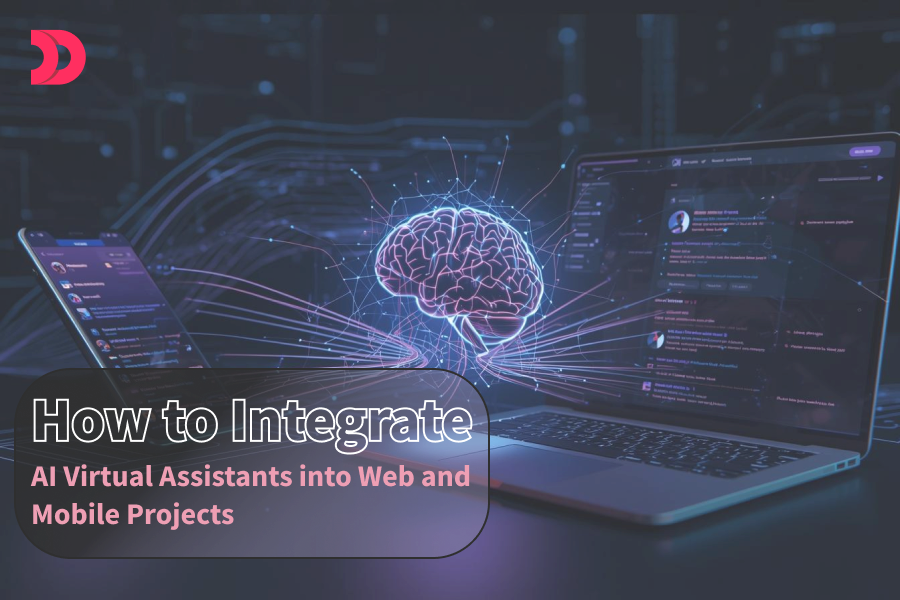
How to Integrate AI Virtual Assistants into Web and Mobile Projects

AI virtual assistants are revolutionizing how users engage with web and mobile applications, offering intuitive, conversational experiences that enhance usability and efficiency. From answering questions to automating tasks, these smart tools can elevate your project’s value. This guide outlines a straightforward approach to integrating AI virtual assistants into your web and mobile projects, focusing on practical steps for those looking to hire a web developer, hire a mobile app developer, or hire an AI developer to bring their vision to life.

What is AI Virtual Assistants?

AI virtual assistants are intelligent systems powered by technologies like natural language processing (NLP) and machine learning. They interact with users through text or voice, handling tasks like answering queries, guiding navigation, or providing personalized recommendations. For example, a retail app might use a chatbot to help customers find products, while a travel website could deploy a voice assistant to book flights. To implement these, you may need to hire a web developer for seamless website integration, hire a mobile app developer for cross-platform apps, or hire an AI developer for custom AI solutions.

Integrating these assistants involves connecting an AI service to your app or website’s interface and backend, creating a seamless user experience.

Step 1: Define Your Objectives and Use Case

Start by clarifying the purpose of your AI virtual assistant. Consider these questions:

  • What’s the goal? Examples include improving customer support, simplifying onboarding, or offering personalized suggestions.
  • Who’s the audience? Understand their preferences to shape the assistant’s tone and features.
  • Which platforms? Decide if the assistant will work on a website, mobile app (iOS, Android, or both), or across multiple channels.

For instance, a fitness app might need an assistant to guide users through workout plans, while an e-commerce site could focus on answering product-related questions. A skilled web developer or mobile app developer can help translate these goals into a functional interface, while an AI developer can optimize the underlying AI model.

Step 2: Choose the Right AI Platform

Selecting an AI platform is a critical decision that depends on your project’s needs, budget, and technical resources. Here are some popular options:

  • Dialogflow (Google): Great for building conversational agents with strong NLP, suitable for both web and mobile.
  • Microsoft Bot Framework: Ideal for enterprise projects, offering integration with Azure’s AI tools.
  • IBM Watson Assistant: Best for complex applications needing advanced customization.
  • Open-source Tools: Platforms like Rasa or Botpress offer flexibility but require more setup effort, often needing an AI developer to customize.
  • API-based Services: Solutions like xAI’s API (visit https://x.ai/api for details) provide powerful, cloud-based AI capabilities, simplifying integration for developers.

For most web and mobile projects, API-based platforms are user-friendly, as they handle the heavy lifting of AI processing remotely. If you hire an AI developer, they can streamline integration with these platforms, while a web developer or mobile app developer can ensure compatibility with your project’s infrastructure.

Step 3: Design an Engaging User Interface

The interface is where users interact with your AI assistant, so it needs to be intuitive and visually appealing. Key considerations include:

  • Text-based Interface: For chatbots, design a clean chat window with a natural conversational flow. Ensure it’s easy to read and navigate on both web and mobile devices.
  • Voice Interface: For voice assistants, incorporate speech recognition and clear audio feedback. Ensure compatibility with different devices and accents.
  • Visual Elements: Add features like typing indicators, quick-reply buttons, or progress animations to make interactions feel dynamic and responsive.

Make sure the interface works seamlessly across screen sizes and platforms. For mobile apps, test on both iOS and Android to ensure a consistent experience. Hiring a web developer ensures a responsive website design, while a mobile app developer can optimize for iOS and Android. An AI developer can enhance the interface with advanced conversational features.

Step 4: Connect the AI to Your Project

Integrating the AI involves linking the platform’s backend to your app or website. Here’s a simplified overview:

For Web Projects

  • Access the AI Service: Sign up for your chosen platform and obtain access credentials, like API keys.
  • Set Up a Backend: Use a server to manage communication between your website and the AI service. This handles sending user inputs and receiving responses.
  • Link to the Frontend: Ensure the website’s interface displays the AI’s responses in real-time, creating a smooth chat or voice experience.

For Mobile Apps

  • Use Platform Tools: Most AI platforms offer mobile-friendly tools or SDKs for iOS and Android, making integration straightforward.
  • Enable Real-time Responses: Ensure the app can send user inputs to the AI service and display answers quickly, even on varying network conditions.
  • Plan for Offline Scenarios: Include fallback options, like preloaded responses, for times when internet access is limited.

To execute this effectively, you might hire a web developer for website backend setup, a mobile app developer for app integration, or an AI developer to handle complex AI service connections.

Step 5: Test and Refine

Testing ensures your AI assistant performs reliably and meets user expectations. Focus on these areas:

  • Functionality: Check that the assistant understands and responds accurately to a wide range of user inputs.
  • User Experience: Gather feedback from real users to improve the conversational flow and interface design.
  • Performance: Test response times, especially for mobile apps where network issues can cause delays.
  • Edge Cases: Verify how the assistant handles unclear questions, typos, or unsupported languages.

Use analytics to track how users interact with the assistant and identify areas for improvement, such as frequently asked questions that need better responses. An AI developer can refine the AI model, while web developers and mobile app developers can optimize the interface based on test results.

Step 6: Launch and Maintain

Once testing is complete, deploy your AI virtual assistant to your website or mobile app. Use reliable hosting services for web projects, and publish mobile apps to the App Store and Google Play.

Ongoing maintenance is essential:

  • Update the AI: Regularly refine the assistant’s responses based on new user interactions and feedback.
  • Monitor Performance: Track metrics like response accuracy and speed to catch any issues early.
  • Prioritize Security: Protect user data with encryption and comply with privacy laws like GDPR or CCPA.

Hiring a dedicated web developer, mobile app developer, or AI developer can ensure smooth deployment and ongoing maintenance.

Best Practices for Success

  • Start Simple: Focus on a specific use case to avoid overwhelming users with overly complex interactions.
  • Personalize Interactions: With user permission, tailor responses using data like names or preferences to create a more engaging experience.
  • Offer Fallback Options: If the AI can’t answer a query, guide users to FAQs or human support.
  • Ensure Accessibility: Make the assistant usable for everyone, including support for screen readers and voice inputs.

Conclusion

Integrating AI virtual assistants into web and mobile projects can transform how users interact with your platform, making it more engaging and efficient. By setting clear goals, choosing the right AI platform, designing a user-friendly interface, and following a structured integration process, you can create a powerful assistant that delights users. To achieve this, consider hiring a web developer for website functionality, a mobile app developer for app compatibility, or an AI developer for advanced AI customization. Start with a focused approach, test thoroughly, and continuously improve based on user feedback.

How Much Does It Cost to Create a Fitness App in 2026?

Fitness app development in 2026 can be a great opportunity for businesses and individuals looking to capitalize on the growing health and wellness industry. The cost of developing a fitness app can vary depending on the features, complexity, and platform chosen. Here is a rough cost estimate and some essential features that you should consider when developing a fitness app in 2026:

  1. User registration and profile creation: This feature is critical as it enables users to create a profile with their personal information, such as age, gender, weight, and height. The cost of developing this feature can range from £3,000 to £5,000.
  2. Tracking and Analysis: This feature tracks users’ physical activity, such as steps taken, distance covered, and calories burned. The data collected can be analyzed to provide insights and recommendations. The cost of developing this feature can range from £5,000 to £7,000.
  3. Workout Plans and Schedules: This feature provides users with personalized workout plans and schedules based on their fitness goals and preferences. The cost of developing this feature can range from £5,000 to £10,000.
  4. Social Sharing: This feature allows users to share their progress, achievements, and workout plans with friends and family. The cost of developing this feature can range from £2,000 to £4,000.
  5. Integration with wearables and other fitness Devices: This feature enables users to connect their fitness app to wearable devices such as Fitbit, Apple Watch, and other fitness equipment to track their activity. The cost of developing this feature can range from £8,000 to £10,000.
  6. In-app purchases and subscriptions: This feature enables users to purchase premium features or subscribe to a monthly plan to access more personalized workout plans, coaching, and other exclusive content. The cost of developing this feature can range from £5,000 to £10,000.
  7. Push Notifications: This feature sends users reminders, alerts, and notifications about their workouts, progress, and other relevant information. The cost of developing this feature can range from £2,000 to £5,000.

The total cost of developing a fitness app with these essential features can range from £20,000 to £40,000, depending on the complexity, functionality, and platform chosen.

Other features that can add value to your fitness app include gamification, audio and video coaching, meal tracking, and integration with third-party apps like MyFitnessPal and Strava.

It’s essential to remember that the cost of developing a fitness app is just the initial investment, and ongoing maintenance, updates, and marketing efforts are crucial to its success.

How To Hire Mobile App Development Company for creating Fitness app?

Yes, hiring a mobile app development company can be a great option for creating a fitness app. A professional mobile app development company has the necessary skills, expertise, and experience to develop a high-quality fitness app that meets your business needs and customer requirements.

When selecting a mobile app development company, consider the following factors:

  1. Experience: Look for a company that has experience in developing fitness apps or apps in the health and wellness industry.
  2. Portfolio: Review the company’s portfolio to see if they have developed similar apps to what you’re looking for and if their work aligns with your vision.
  3. Expertise: Check if the company has the necessary expertise in mobile app development, including proficiency in programming languages, development frameworks, and mobile app design.
  4. Communication: Choose a company that communicates regularly and provides updates on the progress of the app development process.
  5. Cost: Consider the cost of development and ensure that it aligns with your budget.
  6. Maintenance and support: Choose a company that provides ongoing maintenance and support after the app is launched.

By selecting the right mobile app development company, you can ensure that your fitness app is developed to the highest standards, meets your business requirements, and provides value to your customers.

Hire Devstree IT Solution UK for Fitness App

However, Some general guidelines can help you assess whether Devstree IT Services is a suitable choice for your fitness app development project.

  1. Portfolio: Check Devstree IT Services’ portfolio to see if they have experience in developing fitness apps or similar apps in the health and wellness industry. This will give you an idea of the quality of their work and whether they can meet your project requirements.
  2. Expertise: Evaluate Devstree IT Services’ expertise in mobile app development Services, including proficiency in programming languages, development frameworks, and mobile app design. This will give you an idea of their technical capabilities and whether they can deliver a high-quality fitness app.
  3. Client Reviews: Look for reviews or testimonials from Devstree IT Services’ previous clients. This will help you assess their communication skills, project management capabilities, and ability to meet deadlines.
  4. Cost: Consider Devstree IT Services’ development cost and ensure that it aligns with your budget. Request a detailed quote that includes all the features and services you require to avoid unexpected costs or charges.
  5. Communication and Support: Evaluate their communication and support channels to ensure that they are responsive and provide ongoing maintenance and support after the app is launched.

By considering these factors, you can assess whether Devstree IT Services is a suitable choice for your fitness app development project. It’s essential to conduct thorough research and due diligence to ensure that you select the right development partner for your project.

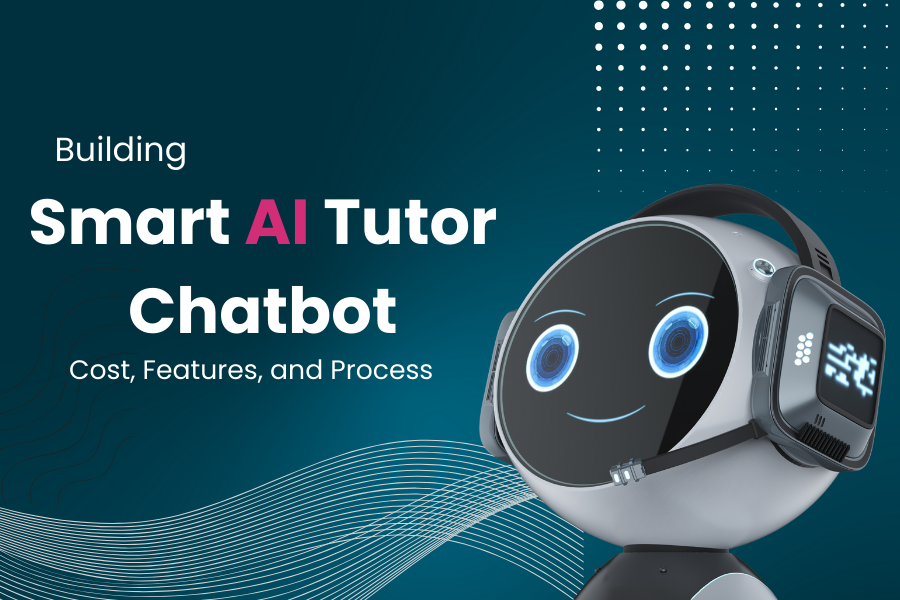
Building a Smart AI Tutor Chatbot: Cost, Features, and Process

In today’s fast-paced world, personalized education is becoming increasingly valuable. A smart AI tutor chatbot can revolutionize how students learn, offering tailored guidance, instant feedback, and accessibility. This blog explores the process of building a smart AI tutor chatbot, its key features, and the associated costs.

What is a Smart AI Tutor Chatbot?

A smart AI tutor chatbot is an intelligent conversational tool designed to assist students in learning. Powered by artificial intelligence, it can answer questions, explain concepts, provide practice problems, and adapt to individual learning needs. Unlike traditional tutoring, it’s available 24/7, scalable, and cost-effective.

Key Features of a Smart AI Tutor Chatbot

To create an effective AI tutor, certain features are essential:

  1. Natural Language Processing (NLP):The chatbot must understand and respond to student queries in natural language, making interactions intuitive and engaging.
  2. Personalized Learning Paths:By analyzing a student’s performance, the chatbot can tailor lessons, recommend resources, and adjust difficulty levels.
  3. Multimodal Content Delivery:Support for text, images, videos, and interactive quizzes to cater to different learning styles.
  4. Real-Time Feedback and Assessment:Instant feedback on answers and detailed explanations to reinforce understanding.
  5. Integration with Learning Management Systems (LMS):Seamless connectivity with platforms like Moodle or Google Classroom for a cohesive experience.
  6. Multilingual Support:Catering to diverse users by offering responses in multiple languages.
  7. Progress Tracking and Analytics:Dashboards for students and educators to monitor performance and identify areas for improvement.
  8. Voice Interaction (Optional):Voice-based interaction for accessibility and convenience.

The Process of Building a Smart AI Tutor Chatbot

Building an AI tutor chatbot involves several stages, each requiring careful planning and execution.

1. Define Objectives and Scope

Determine the chatbot’s purpose, target audience, and subjects it will cover (e.g., math, science, language arts). Decide whether it will focus on K-12, higher education, or professional training.

2. Choose the Technology Stack

  • AI Frameworks: Use NLP models like BERT, GPT, or open-source alternatives for language understanding.
  • Chatbot Platforms: Tools like Dialogflow, Microsoft Bot Framework, or Rasa for conversation flow.
  • Backend: Python (Flask/Django) or Node.js for server-side logic.
  • Frontend: React or Angular for a user-friendly interface.
  • Database: MongoDB or PostgreSQL for storing user data and learning materials.
  • Cloud Services: AWS, Google Cloud, or Azure for hosting and scalability.

3. Data Collection and Training

  • Gather educational content, such as textbooks, question banks, and syllabi.
  • Curate datasets for training the AI model, ensuring accuracy and relevance.
  • Fine-tune the model to handle subject-specific terminology and student queries.

4. Design the User Experience

  • Create intuitive interfaces for web and mobile platforms.
  • Ensure the chatbot’s tone is friendly, encouraging, and professional.
  • Incorporate gamification elements like badges or progress bars to boost engagement.

5. Development and Integration

  • Develop the chatbot’s core functionalities, including NLP, response generation, and personalization algorithms.
  • Integrate with LMS platforms, APIs, or external tools like Wolfram Alpha for complex calculations.
  • Implement security measures to protect user data (e.g., GDPR compliance).

6. Testing and Iteration

  • Conduct rigorous testing to ensure accurate responses and seamless performance.
  • Gather feedback from beta testers (students and educators) to refine the chatbot.
  • Address edge cases, such as ambiguous queries or incorrect answers.

7. Deployment and Maintenance

  • Deploy the chatbot on a scalable cloud platform.
  • Monitor performance and update the knowledge base regularly.
  • Incorporate user feedback to enhance features and fix bugs.

Cost of Building a Smart AI Tutor Chatbot

The cost depends on factors like complexity, features, and development approach. Here’s a breakdown:

  1. Development Team:
    • In-House Team: Hiring developers, AI specialists, and designers can cost $50,000–$150,000 annually, depending on location and expertise.
    • Outsourcing: Freelancers or agencies may charge $10,000–$50,000 for a mid-sized project.
  2. Technology and Tools:
    • AI Models: Open-source models are free, but proprietary APIs (e.g., OpenAI) cost $0.001–$0.02 per 1,000 tokens.
    • Cloud Hosting: $100–$1,000/month for AWS, Google Cloud, or Azure, depending on usage.
    • Chatbot Platforms: Dialogflow’s standard edition is free; enterprise plans start at $0.002–$0.004 per request.
    • LMS Integration: Custom integrations may cost $2,000–$10,000.
  3. Content Creation:
    • Curating educational content or hiring subject matter experts: $5,000–$20,000.
    • Licensing datasets or question banks: $1,000–$10,000.
  4. Maintenance and Updates:
    • Ongoing server costs, model retraining, and support: $1,000–$5,000/month.

Total Estimated Cost:

  • Basic Chatbot: $10,000–$30,000 (simple features, open-source tools).
  • Advanced Chatbot: $50,000–$100,000+ (personalization, LMS integration, multilingual support).

Challenges and Considerations

  • Accuracy: Ensuring the chatbot provides correct and contextually relevant answers.
  • Scalability: Handling thousands of users simultaneously without performance issues.
  • Ethical Concerns: Avoiding biases in AI responses and ensuring data privacy.
  • User Engagement: Keeping students motivated to interact with the chatbot regularly.

Conclusion

Building a smart AI tutor chatbot is a transformative investment in education technology. By leveraging AI, NLP, and personalized learning, you can create a tool that empowers students and educators alike. While costs can vary, careful planning and the right technology stack can deliver a high-impact solution. Whether you’re an educational institution or a startup, now is the time to explore the potential of AI-driven tutoring.

Ready to start building? Partner with experienced developers and AI experts to bring your vision to life!

What Every CEO Needs to Know About the Future of AI

As a CEO, you’re tasked with steering your organization through an ever-evolving landscape of opportunities and challenges. Artificial Intelligence (AI) is no longer a futuristic concept—it’s a transformative force reshaping industries, redefining business models, and driving competitive advantage. Understanding the trajectory of AI is critical to making informed strategic decisions that position your company for success. Here’s what every CEO needs to know about the future of AI.

AI Is Becoming a Strategic Imperative

AI is no longer just a tool for tech companies—it’s a cornerstone for businesses across all sectors. From healthcare to retail, manufacturing to finance, AI is driving efficiency, personalization, and innovation. According to a 2024 McKinsey report, companies that integrate AI into their core operations see up to a 20% increase in operational efficiency and a 10-15% boost in revenue growth through enhanced customer experiences.

Key Takeaway: AI adoption isn’t optional. To stay competitive, CEOs must prioritize AI as a strategic pillar, aligning it with business goals to drive measurable outcomes.

The Evolution of AI: From Automation to Reasoning

AI is moving beyond basic automation and predictive analytics. Emerging advancements in generative AI, natural language processing (NLP), and multimodal models are enabling machines to understand context, reason through complex problems, and generate creative outputs. For example, tools like large language models can now assist with strategic planning, draft reports, and even simulate customer interactions with unprecedented accuracy.

In the near future, expect AI to take on more sophisticated roles, such as real-time decision-making in supply chain management or personalized marketing campaigns driven by deep behavioral insights. These capabilities will allow businesses to scale operations and innovate faster.

Key Takeaway: Invest in AI that evolves with your business needs, focusing on systems capable of advanced reasoning and adaptability.

Ethical AI and Regulation Are Non-Negotiable

As AI becomes ubiquitous, ethical considerations and regulatory compliance are critical. High-profile cases of biased algorithms and data privacy breaches have heightened scrutiny. Governments worldwide are rolling out frameworks like the EU’s AI Act, which emphasizes transparency, accountability, and fairness in AI deployment.

CEOs must ensure their organizations adopt ethical AI practices, including unbiased data sets, transparent decision-making processes, and robust data security measures. Failure to do so risks reputational damage and legal penalties.

Key Takeaway: Build an AI governance framework that prioritizes ethics and compliance to protect your brand and customers.

Talent and Culture: The AI-Ready Workforce

The future of AI demands a workforce equipped to leverage it. This doesn’t mean replacing employees with machines but upskilling them to work alongside AI tools. According to a 2025 World Economic Forum report, 50% of all employees will need reskilling by 2030 to keep pace with AI-driven changes.

CEOs should foster a culture of continuous learning, investing in training programs that teach employees how to use AI effectively. Additionally, hiring or partnering with AI specialists—data scientists, machine learning engineers, and AI ethicists—will be essential to staying ahead.

Key Takeaway: Cultivate an AI-ready workforce through upskilling and strategic hiring to maximize the value of AI investments.

AI as a Catalyst for Innovation

AI is a powerful enabler of innovation, allowing companies to explore new products, services, and business models. For instance, AI-driven insights can uncover untapped market opportunities, while generative AI can accelerate product design and prototyping. Companies like Tesla and Amazon are already using AI to streamline R&D and deliver cutting-edge solutions.

CEOs should encourage experimentation with AI, creating sandboxes for testing new applications without disrupting core operations. This approach fosters innovation while mitigating risks.

Key Takeaway: Use AI to drive innovation by experimenting with new use cases and fostering a culture of calculated risk-taking.

The Risks of Falling Behind

The cost of ignoring AI is steep. Competitors who embrace AI will outpace laggards in efficiency, customer satisfaction, and market share. A 2024 Gartner study predicts that by 2027, 70% of enterprises will rely on AI for at least one critical business function, leaving non-adopters struggling to catch up.

CEOs must act decisively, integrating AI into their strategic roadmap and allocating resources to pilot projects. Waiting for the “perfect moment” risks obsolescence.

Key Takeaway: Act now to integrate AI, or risk being outmaneuvered by more agile competitors.

How to Get Started

  1. Assess Your AI Readiness: Conduct an audit to identify areas where AI can add value, such as customer service, operations, or marketing.
  2. Build Partnerships: Collaborate with AI vendors, startups, or research institutions to access cutting-edge solutions.
  3. Start Small, Scale Fast: Launch pilot projects to test AI applications, then scale successful initiatives across the organization.
  4. Measure Impact: Use KPIs to track AI’s contribution to revenue, efficiency, and customer satisfaction.

Conclusion

The future of AI is not a distant horizon, it’s here, and it’s reshaping the business landscape at an unprecedented pace. As a CEO, your role is to harness AI’s potential while navigating its challenges. By embedding AI into your strategy, fostering an AI-ready culture, and prioritizing ethics, you can position your organization to thrive in the AI-driven economy. The question isn’t whether AI will transform your business—it’s whether you’ll lead that transformation.