Chat on WhatsApp

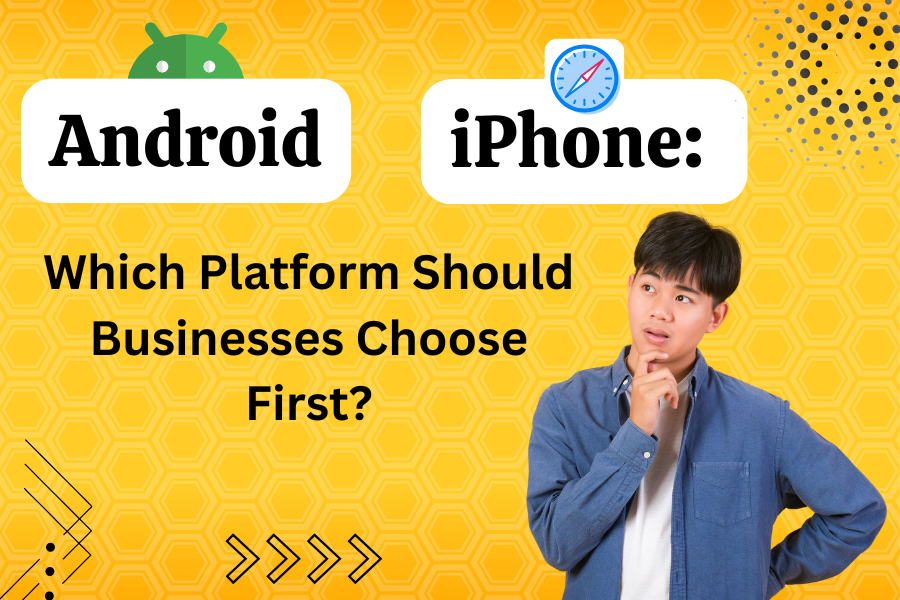
Android or iPhone: Which Platform Should Businesses Choose First?

Choosing the right mobile platform can define the success of your business app. Whether you’re planning to launch an e-commerce app, a fitness tracker, or a booking platform, deciding between Android and iPhone (iOS) as your first launch platform is one of the most strategic moves you’ll make.

Each platform offers unique advantages in terms of user reach, revenue potential, and development efficiency. This guide provides a structured approach to deciding which platform suits your business best — especially if you’re planning to hire a web developer, hire a mobile app developer, or hire an app development company to bring your idea to life.

What Does Choosing the Right Platform Mean?

Selecting between Android and iPhone isn’t just a technical decision — it’s a business strategy. It determines your target market, development costs, and even marketing approach.

  • Android dominates the global smartphone market, offering wider reach and flexibility.
  • iPhone (iOS) attracts high-spending users in premium markets like the US, UK, and Europe.

If your business wants to scale fast globally, Android may be ideal. But if you’re targeting affluent users or aiming for a high-end brand presence, iOS could deliver better returns.

Before deciding, it’s important to assess your goals, audience, and available resources.

Step 1: Define Your Business Objectives and Target Audience

The first step is understanding why you’re building an app and who it’s for.

Ask yourself:

  • What’s the main goal of the app — revenue generation, brand visibility, or customer engagement?
  • Who’s your audience — young users, working professionals, or global consumers?
  • Which regions or countries are you targeting?

For example:

  • budget travel app targeting users in India or Africa may benefit more from Android due to its large, cost-conscious user base.
  • luxury shopping app targeting North America or Europe would perform better on iPhone, given its premium audience.

mobile app developer can help analyze user data and market trends to match your goals with the right platform.

Step 2: Evaluate Market Share and User Demographics

Market share directly impacts your app’s reach and potential growth.

  • Android controls about 70% of the global smartphone market, dominating regions like Asia, Africa, and South America.
  • iPhone has a 30% global share but leads in countries like the United States, Canada, Australia, and Western Europe.

User demographics also matter:

  • Android users are diverse, price-sensitive, and often prefer customization.
  • iPhone users tend to be brand-loyal, tech-savvy, and willing to spend on apps and subscriptions.

Tip:
If your product targets emerging markets or aims for mass adoption, start with Android.
If you’re after loyal, high-value customers, launch on iPhone first.

Step 3: Compare Development Cost and Timeline

Cost and time are major deciding factors for any business planning to launch an app.

  • Android Development:
    Android supports a wide range of devices and screen sizes, which means more testing and optimization. This makes it slightly more expensive and time-consuming to develop.
  • iPhone Development:
    iOS apps are designed for limited Apple devices, simplifying testing and maintenance. Apple’s consistent hardware and software ecosystem make development faster and smoother.

Verdict:

  • Choose iPhone if you want a faster launch and controlled development costs.
  • Choose Android if you want wider device coverage and can invest a little more time and money upfront.

A mobile app developer or web development company can provide exact cost estimates based on your project scope and target features.

Step 4: Consider Revenue and Monetization Opportunities

How you plan to earn from your app influences which platform you should start with.

  • iPhone (iOS):
    iOS users spend more on in-app purchases, premium apps, and subscriptions. The Apple App Store generates significantly higher revenue per user.
  • Android:
    Android apps attract more downloads but generate lower spending per user. However, ad-based monetization models work well on Android due to its massive user base.

Verdict:

  • For subscription-based or paid apps, start with iPhone.
  • For free or ad-supported apps, launch on Android.

If you’re unsure, consult an app monetization expert or your hired mobile app developer to design a hybrid strategy that works across both platforms.

Step 5: Assess App Store Guidelines and Approval Process

App publishing processes differ significantly between Android and iPhone.

  • Google Play Store (Android):
    • Flexible policies and quick approvals.
    • Easier to publish updates and fixes.
    • However, lower entry barriers can lead to more competition and occasional counterfeit apps.
  • Apple App Store (iOS):
    • Strict guidelines for design, performance, and security.
    • Longer approval time but ensures high-quality standards.
    • Users generally trust apps more due to Apple’s rigorous screening.

Verdict:
If you need a quick launch or frequent updates, Android is your best bet.
If you want to build credibility and a polished brand image, start with iOS.

Step 6: Focus on User Experience and Design Consistency

User experience is the heart of every successful mobile app.

  • Android:
    Follows Google’s Material Design, offering developers the freedom to customize layouts, icons, and interactions. This flexibility allows more creative control but can lead to inconsistency across devices.
  • iPhone (iOS):
    Uses Apple’s Human Interface Guidelines, ensuring a uniform and premium design language. Apps often feel smoother, cleaner, and more user-friendly on iOS.

Verdict:

  • Choose Android if your brand demands flexibility and customization.
  • Choose iPhone if you prioritize a consistent, elegant experience.

Hiring a UI/UX designer alongside a mobile app developer ensures your app meets the visual and functional expectations of your target users.

Read more- How Much Does it Cost to Publish an App on Play Store?

Step 7: Evaluate Security and Privacy Standards

Security is critical, especially for apps handling sensitive data such as payments or healthcare records.

  • iPhone:
    Apple’s closed ecosystem, strict app review process, and advanced encryption make iOS one of the most secure platforms.
  • Android:
    Android’s open-source model offers freedom but requires careful security management. Using updated SDKs, secure APIs, and data encryption is essential.

Verdict:
If security is your top concern — like in finance, health, or enterprise apps — start with iPhone. Otherwise, Android remains a great option if properly managed by an experienced mobile app developer.

Step 8: Plan for Maintenance and Updates

After launch, your app will need continuous improvements.

  • Android:
    Frequent OS updates and multiple device versions require constant monitoring and optimization. This can make maintenance more time-consuming.
  • iPhone:
    Apple’s unified ecosystem means fewer devices and faster updates, simplifying maintenance.

Verdict:
If you want fewer updates and smoother maintenance, start with iOS.
If you prefer long-term flexibility and control, Android gives you more room to evolve.

Step 9: Define a Long-Term Cross-Platform Strategy

While choosing one platform first is strategic, your ultimate goal should be cross-platform availability.

  • Start with your primary audience platform (Android or iPhone).
  • Gather feedback, improve user experience, and optimize performance.
  • Once stable, expand to the other platform to maximize reach.

Using cross-platform frameworks like Flutter, React Native, or Kotlin Multiplatform, your mobile app developer can help you build apps for both iOS and Android with shared codebases, saving time and cost. 

Best Practices for a Successful Launch

  • Know Your Users: Understand where your customers are and what devices they prefer.
  • Set Clear Goals: Whether it’s downloads, revenue, or engagement, define success metrics early.
  • Start Simple: Launch with an MVP (Minimum Viable Product) before scaling to both platforms.
  • Collect Feedback: Analyze user behavior to refine your app before expanding.
  • Invest in Quality Development: Hire experienced web and mobile app developers to ensure strong performance and security.

Conclusion

Choosing between Android and iPhone as your first platform is not about which is better — it’s about which is right for your business. If your goal is to reach the masses, test your idea globally, and attract downloads, Android is the smarter first step. If you’re aiming for premium users, faster monetization, and strong brand value, iPhone should come first. Ultimately, both ecosystems are valuable. The best strategy is to start where your target audience is strongest and expand strategically as your business grows. To bring your vision to life, you can hire a web developer for backend integration, hire a mobile app developer for iOS or Android expertise, or hire a full-stack development team to ensure your app performs seamlessly across both platforms.

With a well-planned approach, the right platform choice, and the right developers, your business can launch an app that not only meets user expectations but also drives growth and long-term success.

DevsTree IT Solution is a leading mobile app development company specializing in creating high-performing Android and iPhone applications tailored to your business goals. Our team of expert Android and iOS developers leverages the latest technologies to build scalable, user-friendly, and visually engaging apps that enhance customer experience and drive business growth. Whether you want to develop an Android app, launch an iPhone app, or create a cross-platform solution, we help you make the right choice based on your target audience and market strategy.

Contact us today to learn more about our mobile app development services or hire dedicated mobile app developers to bring your vision to life.
How to Integrate AI Virtual Assistants into Web and Mobile Projects

AI virtual assistants are revolutionizing how users engage with web and mobile applications, offering intuitive, conversational experiences that enhance usability and efficiency. From answering questions to automating tasks, these smart tools can elevate your project’s value. This guide outlines a straightforward approach to integrating AI virtual assistants into your web and mobile projects, focusing on practical steps for those looking to hire a web developer, hire a mobile app developer, or hire an AI developer to bring their vision to life.

What is AI Virtual Assistants?

AI virtual assistants are intelligent systems powered by technologies like natural language processing (NLP) and machine learning. They interact with users through text or voice, handling tasks like answering queries, guiding navigation, or providing personalized recommendations. For example, a retail app might use a chatbot to help customers find products, while a travel website could deploy a voice assistant to book flights. To implement these, you may need to hire a web developer for seamless website integration, hire a mobile app developer for cross-platform apps, or hire an AI developer for custom AI solutions.

Integrating these assistants involves connecting an AI service to your app or website’s interface and backend, creating a seamless user experience.

Step 1: Define Your Objectives and Use Case

Start by clarifying the purpose of your AI virtual assistant. Consider these questions:

  • What’s the goal? Examples include improving customer support, simplifying onboarding, or offering personalized suggestions.
  • Who’s the audience? Understand their preferences to shape the assistant’s tone and features.
  • Which platforms? Decide if the assistant will work on a website, mobile app (iOS, Android, or both), or across multiple channels.

For instance, a fitness app might need an assistant to guide users through workout plans, while an e-commerce site could focus on answering product-related questions. A skilled web developer or mobile app developer can help translate these goals into a functional interface, while an AI developer can optimize the underlying AI model.

Step 2: Choose the Right AI Platform

Selecting an AI platform is a critical decision that depends on your project’s needs, budget, and technical resources. Here are some popular options:

  • Dialogflow (Google): Great for building conversational agents with strong NLP, suitable for both web and mobile.
  • Microsoft Bot Framework: Ideal for enterprise projects, offering integration with Azure’s AI tools.
  • IBM Watson Assistant: Best for complex applications needing advanced customization.
  • Open-source Tools: Platforms like Rasa or Botpress offer flexibility but require more setup effort, often needing an AI developer to customize.
  • API-based Services: Solutions like xAI’s API (visit https://x.ai/api for details) provide powerful, cloud-based AI capabilities, simplifying integration for developers.

For most web and mobile projects, API-based platforms are user-friendly, as they handle the heavy lifting of AI processing remotely. If you hire an AI developer, they can streamline integration with these platforms, while a web developer or mobile app developer can ensure compatibility with your project’s infrastructure.

Step 3: Design an Engaging User Interface

The interface is where users interact with your AI assistant, so it needs to be intuitive and visually appealing. Key considerations include:

  • Text-based Interface: For chatbots, design a clean chat window with a natural conversational flow. Ensure it’s easy to read and navigate on both web and mobile devices.
  • Voice Interface: For voice assistants, incorporate speech recognition and clear audio feedback. Ensure compatibility with different devices and accents.
  • Visual Elements: Add features like typing indicators, quick-reply buttons, or progress animations to make interactions feel dynamic and responsive.

Make sure the interface works seamlessly across screen sizes and platforms. For mobile apps, test on both iOS and Android to ensure a consistent experience. Hiring a web developer ensures a responsive website design, while a mobile app developer can optimize for iOS and Android. An AI developer can enhance the interface with advanced conversational features.

Step 4: Connect the AI to Your Project

Integrating the AI involves linking the platform’s backend to your app or website. Here’s a simplified overview:

For Web Projects

  • Access the AI Service: Sign up for your chosen platform and obtain access credentials, like API keys.
  • Set Up a Backend: Use a server to manage communication between your website and the AI service. This handles sending user inputs and receiving responses.
  • Link to the Frontend: Ensure the website’s interface displays the AI’s responses in real-time, creating a smooth chat or voice experience.

For Mobile Apps

  • Use Platform Tools: Most AI platforms offer mobile-friendly tools or SDKs for iOS and Android, making integration straightforward.
  • Enable Real-time Responses: Ensure the app can send user inputs to the AI service and display answers quickly, even on varying network conditions.
  • Plan for Offline Scenarios: Include fallback options, like preloaded responses, for times when internet access is limited.

To execute this effectively, you might hire a web developer for website backend setup, a mobile app developer for app integration, or an AI developer to handle complex AI service connections.

Step 5: Test and Refine

Testing ensures your AI assistant performs reliably and meets user expectations. Focus on these areas:

  • Functionality: Check that the assistant understands and responds accurately to a wide range of user inputs.
  • User Experience: Gather feedback from real users to improve the conversational flow and interface design.
  • Performance: Test response times, especially for mobile apps where network issues can cause delays.
  • Edge Cases: Verify how the assistant handles unclear questions, typos, or unsupported languages.

Use analytics to track how users interact with the assistant and identify areas for improvement, such as frequently asked questions that need better responses. An AI developer can refine the AI model, while web developers and mobile app developers can optimize the interface based on test results.

Step 6: Launch and Maintain

Once testing is complete, deploy your AI virtual assistant to your website or mobile app. Use reliable hosting services for web projects, and publish mobile apps to the App Store and Google Play.

Ongoing maintenance is essential:

  • Update the AI: Regularly refine the assistant’s responses based on new user interactions and feedback.
  • Monitor Performance: Track metrics like response accuracy and speed to catch any issues early.
  • Prioritize Security: Protect user data with encryption and comply with privacy laws like GDPR or CCPA.

Hiring a dedicated web developer, mobile app developer, or AI developer can ensure smooth deployment and ongoing maintenance.

Best Practices for Success

  • Start Simple: Focus on a specific use case to avoid overwhelming users with overly complex interactions.
  • Personalize Interactions: With user permission, tailor responses using data like names or preferences to create a more engaging experience.
  • Offer Fallback Options: If the AI can’t answer a query, guide users to FAQs or human support.
  • Ensure Accessibility: Make the assistant usable for everyone, including support for screen readers and voice inputs.

Conclusion

Integrating AI virtual assistants into web and mobile projects can transform how users interact with your platform, making it more engaging and efficient. By setting clear goals, choosing the right AI platform, designing a user-friendly interface, and following a structured integration process, you can create a powerful assistant that delights users. To achieve this, consider hiring a web developer for website functionality, a mobile app developer for app compatibility, or an AI developer for advanced AI customization. Start with a focused approach, test thoroughly, and continuously improve based on user feedback.

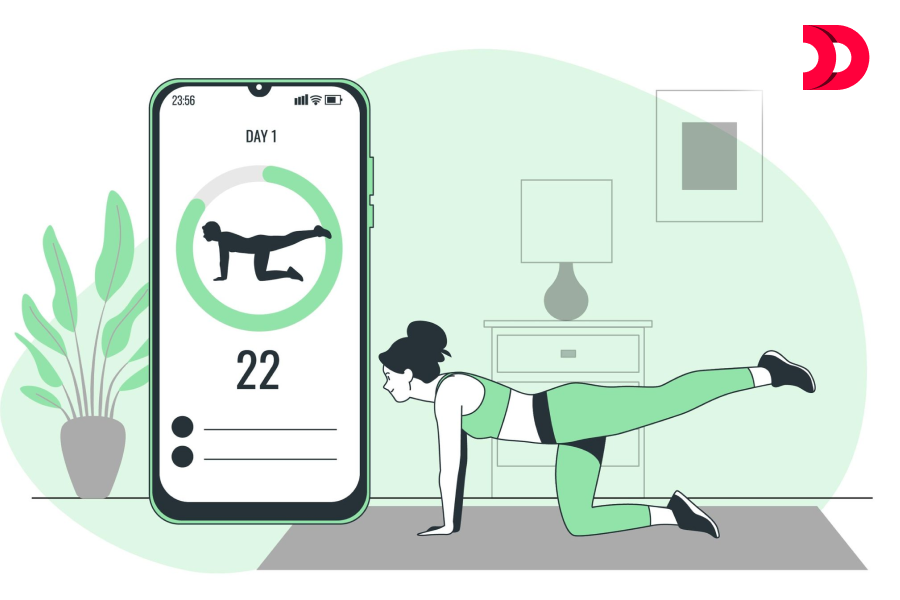
How Much Does It Cost to Create a Fitness App in 2026?

Fitness app development in 2026 can be a great opportunity for businesses and individuals looking to capitalize on the growing health and wellness industry. The cost of developing a fitness app can vary depending on the features, complexity, and platform chosen. Here is a rough cost estimate and some essential features that you should consider when developing a fitness app in 2026:

  1. User registration and profile creation: This feature is critical as it enables users to create a profile with their personal information, such as age, gender, weight, and height. The cost of developing this feature can range from £3,000 to £5,000.
  2. Tracking and Analysis: This feature tracks users’ physical activity, such as steps taken, distance covered, and calories burned. The data collected can be analyzed to provide insights and recommendations. The cost of developing this feature can range from £5,000 to £7,000.
  3. Workout Plans and Schedules: This feature provides users with personalized workout plans and schedules based on their fitness goals and preferences. The cost of developing this feature can range from £5,000 to £10,000.
  4. Social Sharing: This feature allows users to share their progress, achievements, and workout plans with friends and family. The cost of developing this feature can range from £2,000 to £4,000.
  5. Integration with wearables and other fitness Devices: This feature enables users to connect their fitness app to wearable devices such as Fitbit, Apple Watch, and other fitness equipment to track their activity. The cost of developing this feature can range from £8,000 to £10,000.
  6. In-app purchases and subscriptions: This feature enables users to purchase premium features or subscribe to a monthly plan to access more personalized workout plans, coaching, and other exclusive content. The cost of developing this feature can range from £5,000 to £10,000.
  7. Push Notifications: This feature sends users reminders, alerts, and notifications about their workouts, progress, and other relevant information. The cost of developing this feature can range from £2,000 to £5,000.

The total cost of developing a fitness app with these essential features can range from £20,000 to £40,000, depending on the complexity, functionality, and platform chosen.

Other features that can add value to your fitness app include gamification, audio and video coaching, meal tracking, and integration with third-party apps like MyFitnessPal and Strava.

It’s essential to remember that the cost of developing a fitness app is just the initial investment, and ongoing maintenance, updates, and marketing efforts are crucial to its success.

How To Hire Mobile App Development Company for creating Fitness app?

Yes, hiring a mobile app development company can be a great option for creating a fitness app. A professional mobile app development company has the necessary skills, expertise, and experience to develop a high-quality fitness app that meets your business needs and customer requirements.

When selecting a mobile app development company, consider the following factors:

  1. Experience: Look for a company that has experience in developing fitness apps or apps in the health and wellness industry.
  2. Portfolio: Review the company’s portfolio to see if they have developed similar apps to what you’re looking for and if their work aligns with your vision.
  3. Expertise: Check if the company has the necessary expertise in mobile app development, including proficiency in programming languages, development frameworks, and mobile app design.
  4. Communication: Choose a company that communicates regularly and provides updates on the progress of the app development process.
  5. Cost: Consider the cost of development and ensure that it aligns with your budget.
  6. Maintenance and support: Choose a company that provides ongoing maintenance and support after the app is launched.

By selecting the right mobile app development company, you can ensure that your fitness app is developed to the highest standards, meets your business requirements, and provides value to your customers.

Hire Devstree IT Solution UK for Fitness App

However, Some general guidelines can help you assess whether Devstree IT Services is a suitable choice for your fitness app development project.

  1. Portfolio: Check Devstree IT Services’ portfolio to see if they have experience in developing fitness apps or similar apps in the health and wellness industry. This will give you an idea of the quality of their work and whether they can meet your project requirements.
  2. Expertise: Evaluate Devstree IT Services’ expertise in mobile app development Services, including proficiency in programming languages, development frameworks, and mobile app design. This will give you an idea of their technical capabilities and whether they can deliver a high-quality fitness app.
  3. Client Reviews: Look for reviews or testimonials from Devstree IT Services’ previous clients. This will help you assess their communication skills, project management capabilities, and ability to meet deadlines.
  4. Cost: Consider Devstree IT Services’ development cost and ensure that it aligns with your budget. Request a detailed quote that includes all the features and services you require to avoid unexpected costs or charges.
  5. Communication and Support: Evaluate their communication and support channels to ensure that they are responsive and provide ongoing maintenance and support after the app is launched.

By considering these factors, you can assess whether Devstree IT Services is a suitable choice for your fitness app development project. It’s essential to conduct thorough research and due diligence to ensure that you select the right development partner for your project.