Chat on WhatsApp

Why Every Business Needs App Maintenance and Support

In today’s digital age, mobile applications have become a cornerstone for businesses aiming to engage customers, streamline operations, and stay competitive. However, launching an app is just the beginning. To ensure long-term success, businesses must invest in ongoing maintenance and support. This blog explores why every business needs to prioritize app maintenance and how hiring application maintenance services can make a difference.

The Importance of App Maintenance

Once an app is live, it operates in a dynamic environment where operating systems, user expectations, and technologies constantly evolve. Without regular updates, an app can quickly become outdated, leading to performance issues, security vulnerabilities, and poor user experiences. By choosing to hire a professional app maintenance company, businesses can ensure their apps remain functional, secure, and aligned with the latest industry standards.

App maintenance involves tasks such as bug fixes, performance optimization, security updates, and compatibility checks with new OS versions. These efforts help maintain user satisfaction and prevent negative reviews that could harm your brand’s reputation.

Benefits of Hiring Professional Maintenance Services

While some businesses may attempt to handle app maintenance in-house, partnering with experts offers significant advantages. When you hire application maintenance services, you gain access to a team of skilled professionals who specialize in keeping apps running smoothly. These experts have the tools and experience to identify potential issues before they escalate, saving time and resources. A professional app maintenance company also provides proactive support, such as monitoring app performance, implementing updates, and ensuring compliance with data privacy regulations. This allows businesses to focus on their core operations while leaving technical complexities to the experts.

Enhancing User Experience Through Maintenance

User experience is a critical factor in an app’s success. Regular maintenance ensures that your app remains fast, intuitive, and free of glitches. For businesses that have invested in mobile app development services, maintenance is the key to protecting that investment. By addressing user feedback and incorporating new features, maintenance services help keep your app relevant and engaging.

Moreover, a well-maintained app can improve customer retention and loyalty. Users are more likely to continue using an app that performs reliably and offers a seamless experience, which directly impacts your business’s bottom line.

Staying Ahead of the Competition

In a crowded marketplace, businesses must differentiate themselves to stay ahead. A poorly maintained app can lead to lost customers and missed opportunities. By partnering with a professional app maintenance company, you can ensure your app remains competitive by integrating the latest technologies, such as AI, AR, or improved UI/UX trends.

Additionally, maintenance services help your app adapt to changing market demands. Whether it’s adding new payment gateways or optimizing for new devices, ongoing support keeps your app aligned with customer needs and industry trends.

Conclusion

App maintenance and support are not optional—they are essential for any business that relies on a mobile application. By choosing to hire application maintenance services, you can protect your app from technical issues, enhance user satisfaction, and maintain a competitive edge. Partnering with a professional app maintenance company ensures your app remains a valuable asset, delivering consistent value to your users and your business.

If your business has leveraged mobile app development services to create an app, don’t let it fall behind due to lack of maintenance. Invest in professional support today to secure your app’s future.

Step-by-Step Guide to Creating a Shopify Store from Scratch

Starting an online store has never been easier, thanks to platforms like Shopify. Shopify is a user-friendly e-commerce platform that allows anyone to create a professional online store without coding skills. In this step-by-step guide, we’ll walk you through the process of setting up a Shopify store from scratch, from signing up to launching your store. For advanced customization, you may consider hiring a Shopify developer or partnering with a Shopify development company to enhance your store’s functionality.

Step 1: Sign Up for a Shopify Account

Begin by creating a Shopify account. Visit Shopify’s website and click the “Start free trial” button. You’ll need to provide:

  1. Your email address.
  2. A password.
  3. A unique store name (this will also be part of your default store URL, e.g., yourstore.myshopify.com).

Shopify offers a free trial, so you can explore the platform before committing to a paid plan.

Step 2: Set Up Your Store Basics

Once you’ve signed up, Shopify will guide you through a quick setup process. You’ll be prompted to answer questions about your business, such as whether you’re already selling or just starting out. After that, you’ll land on the Shopify admin dashboard. Here, you can:

  1. Add Business Information: Go to “Settings” > “General” to enter your business name, address, and contact details.
  2. Set Up Currency: Choose your store’s default currency under “Settings” > “General.”

Step 3: Choose a Theme

Shopify offers a variety of free and paid themes to give your store a professional look. For a unique design, you might want to hire a dedicated shopify developer to create a custom theme. To select a theme:

  1. Go to “Online Store” > “Themes” in the Shopify admin.
  2. Browse the Shopify Theme Store or select a free theme like “Dawn.”
  3. Click “Add” or “Purchase” for paid themes, then click “Publish” to apply the theme to your store.
  4. Customize the theme by clicking “Customize” to adjust colors, fonts, and layouts to match your brand.

Step 4: Add Products

Products are the heart of your store. To add products:

  1. Navigate to “Products” > “Add Product” in the admin dashboard.
  2. Enter product details, including:
    • Title (e.g., “Organic Cotton T-Shirt”).
    • Description (highlight features and benefits).
    • Price and optional compare-at price (for discounts).
    • Inventory details (e.g., stock quantity).
    • Variants (e.g., size, color).
  3. Upload high-quality product images.
  4. Organize products into collections (e.g., “Men’s Clothing,” “Sale Items”) under “Products” > “Collections.”
  5. Save the product and set its status to “Active” to make it visible on your store.

Step 5: Configure Payment Gateways

Shopify supports multiple payment methods to ensure smooth transactions. A Shopify development company can help with complex payment integrations. To set up payments:

  1. Go to “Settings” > “Payments.”
  2. Enable Shopify Payments (if available in your country) by entering your bank and business details. This allows you to accept credit cards and other payment methods.
  3. Add alternative payment methods like PayPal, Stripe, or Amazon Pay under “Third-party payment providers.”
  4. Test the checkout process to ensure payments are processed correctly.

Step 6: Set Up Shipping

Configure shipping rates to ensure customers know how much they’ll pay for delivery. To set up shipping:

  1. Go to “Settings” > “Shipping and delivery.”
  2. Create shipping zones (e.g., domestic, international).
  3. Set shipping rates based on weight, price, or flat rates. For example, offer free shipping for orders over $50.
  4. Enable third-party shipping apps (e.g., ShipStation) for advanced fulfillment options.

Step 7: Add a Custom Domain

Replace the default “yourstore.myshopify.com” URL with a custom domain for a professional look. To add a domain:

  1. Go to “Settings” > “Domains.”
  2. Purchase a domain through Shopify or connect an existing domain from a third-party provider (e.g., GoDaddy).
  3. Configure DNS settings if using a third-party domain (Shopify provides instructions).
  4. Set the custom domain as your primary domain.

Step 8: Test and Launch Your Store

Before launching, ensure everything works smoothly:

  1. Test the Store: Place a test order to check the checkout process, shipping calculations, and email notifications.
  2. Preview the Store: Use the “Preview” option in the theme editor to view your store as customers will see it.
  3. Remove Password Protection: Go to “Online Store” > “Preferences” and uncheck “Enable password” to make your store public.
  4. Launch: Announce your store’s launch via social media, email, or other marketing channels.

Step 9: Optimize and Promote Your Store

Once your store is live, focus on driving traffic and sales. For advanced SEO or marketing strategies, consider hiring a dedicated Shopify developer to optimize your store:

  1. SEO Optimization: Add meta titles, descriptions, and alt text to products and pages under “Online Store” > “Preferences.”
  2. Install Apps: Explore the Shopify App Store for tools like email marketing (e.g., Klaviyo) or reviews (e.g., Loox).
  3. Marketing: Use Shopify’s built-in marketing tools to create email campaigns, discounts, or social media ads.
  4. Analytics: Monitor performance via the “Analytics” tab to track sales, traffic, and customer behavior.

Conclusion

Creating a Shopify store from scratch is a straightforward process that anyone can tackle, thanks to Shopify’s intuitive platform. By following these steps signing up, customizing your store, adding products, and setting up payments and shipping you’ll have a fully functional online store ready to attract customers. For those seeking a more tailored experience, you can hire a Shopify developer or work with a Shopify development company to take your store to the next level. Ready to start? Visit Shopify to begin your free trial and bring your e-commerce vision to life.

Read more- A Complete Guide to Understanding How Shopify Works

Fashion Website Development Guide: Features, Cost & Tech Stack

Building a fashion website is an exciting venture that blends creativity with technology. Whether you’re launching an online store, a fashion blog, or a portfolio, fashion eCommerce web development can set you apart in the competitive fashion industry. Partnering with a skilled web development company ensures your vision comes to life. This guide covers the essential features, estimated costs, and recommended tech stack for developing a fashion website.

Key Features of a Fashion Website

A successful fashion website should be visually appealing, user-friendly, and functional. Working with an eCommerce web development company can help implement these must-have features:

  • Responsive Design: Ensures your site looks great on desktops, tablets, and smartphones.
  • High-Quality Visuals: Large, high-resolution images and videos to showcase products or designs.
  • E-commerce Functionality: For online stores, include product listings, shopping carts, and secure checkout.
  • Search and Filters: Allow users to search by category, size, color, or price for a seamless shopping experience.
  • User Accounts: Enable customers to save preferences, track orders, and manage wishlists.
  • Blog Section: Share fashion tips, trends, or behind-the-scenes content to engage visitors.
  • Social Media Integration: Connect your site to Instagram, Pinterest, or TikTok to boost engagement.
  • SEO Optimization: Improve visibility on search engines with optimized content and metadata.
  • Fast Load Times: Optimize images and code to ensure quick page loading.

Cost of Developing a Fashion Website

The cost of fashion eCommerce web development varies based on complexity, features, and whether you hire website developer teams or a full-service web development company. Here’s a breakdown:

  • Basic Website (Blog or Portfolio): $1,000–$5,000. Includes a simple design, basic features, and a CMS like WordPress.
  • Small E-commerce Site: $5,000–$20,000. Covers product listings, payment gateways, and moderate customization.
  • Custom Fashion E-commerce Platform: $20,000–$100,000+. Includes advanced features like AI recommendations, custom UI/UX, and scalability.

Additional Costs:

  • Domain and Hosting: $10–$500/year, depending on the provider and plan.
  • Maintenance: $500–$5,000/year for updates, security, and backups.
  • Marketing (SEO, Ads): $1,000–$10,000/year for campaigns to drive traffic.

Using pre-built platforms like Shopify or WooCommerce can reduce costs, while partnering with a web design agency for custom development offers more flexibility but increases expenses.

Recommended Tech Stack

Choosing the right tech stack ensures your website is scalable, secure, and efficient. An experienced e-commerce web development company can recommend the best tools for fashion e-commerce web development. Here’s a suggested stack:

  • Frontend:
    • React.js: For dynamic, interactive user interfaces.
    • Tailwind CSS: For modern, customizable styling.
    • Next.js: For server-side rendering and SEO optimization.
  • Backend:
    • Node.js + Express: For fast, scalable APIs.
    • Python (Django/Flask): For rapid development and robust security.
  • Database:
    • MongoDB: For flexible, scalable product data storage.
    • PostgreSQL: For structured data like user accounts and orders.
  • E-commerce Platforms:
    • Shopify: For quick setup and built-in e-commerce tools.
    • WooCommerce: For WordPress-based stores with customization.
  • Hosting/Deployment:
    • AWS/Google Cloud: For scalable, reliable hosting.
    • Vercel: For easy deployment of Next.js apps.
  • Other Tools:
    • Stripe/PayPal: For secure payment processing.
    • Algolia: For advanced search and filtering.
    • Cloudinary: For image optimization and management.

For smaller projects, a WordPress site with a premium theme and plugins can be a cost-effective alternative, especially if you hire website developer resources for customization.

Development Tips

Collaborating with a web development company can streamline the process. Here are some tips:

  • Prioritize UX: Fashion websites thrive on intuitive navigation and stunning visuals.
  • Optimize for Mobile: Over 50% of fashion shoppers use smartphones.
  • Test Thoroughly: Check for bugs, broken links, and payment issues before launch.
  • Plan for Scalability: Choose a tech stack that can handle traffic spikes during sales or campaigns.

Conclusion

Developing a fashion website through fashion eCommerce web development requires careful planning, from selecting the right features to choosing a scalable tech stack. Whether you work with a web design agency, an eCommerce web development company, or hire website developer talent, prioritize user experience and performance to stand out in the fashion industry. By understanding costs and technologies, you can create a website that not only looks great but also drives business success.

A Complete Guide to Understanding How Shopify Works

Shopify is one of the most popular eCommerce platforms in the world, empowering businesses of all sizes to create and manage online stores with ease. Whether you’re a small business owner, an entrepreneur, or a large enterprise, Shopify offers a robust, user-friendly solution to sell products online. In this guide, we’ll break down how Shopify works, its key features, and why you might consider partnering with a Shopify development company or choosing to hire a Shopify developer to enhance your store.

What is Shopify?

Shopify is a cloud-based eCommerce platform that allows businesses to set up an online store, manage products, process payments, and handle shipping—all from a single dashboard. Launched in 2006, Shopify has grown into a global leader, powering over a million businesses worldwide. Its versatility makes it suitable for various industries, from fashion and electronics to digital products and services.

How Does Shopify Work?

Shopify simplifies the process of running an online store by providing an all-in-one solution. Here’s a step-by-step overview of how it works:

1. Store Setup

Getting started with Shopify is straightforward. You sign up for an account, choose a plan (ranging from Basic to Advanced), and start building your store. Shopify provides customizable templates, or you can work with an eCommerce development company to create a unique design tailored to your brand.

2. Product Management

Shopify’s intuitive dashboard lets you add products, set prices, and manage inventory. You can upload product images, descriptions, and variants (e.g., size or color). Shopify also supports digital products, subscriptions, and even dropshipping.

3. Customization and Themes

Shopify offers a variety of free and premium themes to give your store a professional look. For businesses seeking a bespoke design, you can hire Shopify developer to customize themes, add functionality, or integrate third-party apps. A Shopify development company can also help create a fully branded experience.

4. Payment Processing

Shopify supports multiple payment gateways, including its own Shopify Payments, as well as PayPal, Stripe, and others. It handles secure transactions, taxes, and currency conversions, making it easy to sell globally.

5. Shipping and Fulfillment

Shopify streamlines shipping by integrating with major carriers like USPS, FedEx, and DHL. You can set shipping rates, print labels, and even automate fulfillment for dropshipping businesses. For complex logistics, an eCommerce development company can integrate advanced shipping solutions.

6. Marketing and SEO

Shopify includes built-in tools for search engine optimization (SEO), email marketing, and social media integration. You can also use Shopify’s analytics to track sales, customer behavior, and traffic. To maximize your store’s reach, consider working with a Shopify development company to implement advanced marketing strategies.

7. App Integrations

The Shopify App Store offers thousands of apps to extend your store’s functionality, from live chat to loyalty programs. If you need custom solutions, you can hire Shopify developer to build tailored apps or integrations.

Why Choose Shopify?

Shopify’s popularity stems from its ease of use, scalability, and robust feature set. Here are some key benefits:

  • User-Friendly: No coding skills are required to set up and manage a store.
  • Scalability: Shopify grows with your business, supporting small startups to large enterprises.
  • Security: Shopify is PCI-compliant and provides SSL certificates for secure transactions.
  • 24/7 Support: Access round-the-clock customer support via chat, email, or phone.

When to Hire a Shopify Developer or Development Company

While Shopify is designed for ease of use, some businesses require advanced customization or technical expertise. Here’s when you should consider professional help:

  • Custom Design: If you want a unique store design, hire Shopify developer to create a custom theme.
  • Complex Integrations: For advanced integrations with CRMs, ERPs, or marketing tools, a Shopify development company can ensure seamless functionality.
  • Performance Optimization: An eCommerce development company can optimize your store for speed, SEO, and conversions.
  • Custom Apps: If you need bespoke features, a developer can build custom apps tailored to your business.

Partnering with professionals ensures your Shopify store stands out in a competitive market. Whether you hire Shopify developer for a one-off project or collaborate with a Shopify development company for ongoing support, expert assistance can elevate your eCommerce success.

Conclusion

Shopify is a powerful, versatile platform that simplifies the process of running an online store. From setup and product management to payments and marketing, Shopify offers everything you need to succeed in eCommerce. For businesses looking to take their store to the next level, partnering with an eCommerce development company or choosing to hire Shopify developer can unlock advanced features and customizations.

Ready to start your Shopify journey? Explore Shopify’s features today, and consider working with a Shopify development company to build a store that drives sales and delights customers.

How Much Does It Cost to Migrate a Website in UK?

Website migration can be a daunting task, but it’s often necessary to improve performance, switch hosting providers, or upgrade to a new platform. If you’re based in the UK and considering migrating your website, one of the first questions you’ll likely ask is: How much will it cost? The cost of website migration in the UK depends on several factors, including the complexity of your site, the type of migration, and whether you hire professionals or do it yourself. In this blog, we’ll break down the key factors affecting costs and provide a rough estimate to help you plan your budget.

What is Website Migration?

Website migration involves moving a website from one environment to another. This could mean switching hosting providers, moving from one content management system (CMS) to another (e.g., WordPress to Shopify), or upgrading to a new domain. Common types of migrations include:

Hosting Migration: Moving your website to a new hosting provider.

Domain Migration: Changing your website’s domain name.

Platform Migration: Switching to a new CMS or e-commerce platform.

Content Migration: Transferring content to a new website structure or design.

Each type of migration has its own challenges and costs, which we’ll explore below.

Factors Affecting Website Migration Costs

The cost of migrating a website in the UK can vary widely, ranging from £100 to £10,000 or more. Here are the main factors that influence the price:

  1. Website Size and Complexity

The size of your website (number of pages, amount of content, and features) significantly impacts the cost. A simple blog with 10 pages will be much cheaper to migrate than an e-commerce site with thousands of product pages, custom features, and integrations. For example:

  • Small websites (1–50 pages): £100–£1,000
  • Medium websites (50–500 pages): £1,000–£5,000
  • Large websites (500+ pages or complex functionality): £5,000–£10,000+
  1. Type of Migration

Different migrations require different levels of expertise and time. For instance:

Hosting Migration: Typically the simplest, costing £100–£500 for professional help.

Domain Migration: Costs £200–£1,000, including SEO considerations to avoid losing traffic.

Platform Migration: More complex, ranging from £1,000–£7,000, depending on the platforms involved.

Content Migration: Can cost £500–£5,000, especially if manual content transfer or reformatting is needed.

  1. DIY vs. Professional Services

If you have technical expertise, you might be able to migrate your website yourself, keeping costs low (e.g., just the price of hosting or domain fees, typically £10–£100). However, hiring a professional web developer or agency ensures a smoother process and minimizes risks like data loss or downtime. Professional services in the UK typically charge:

  • Freelancers: £25–£50 per hour
  • Agencies: £50–£150 per hour
  • Fixed project rates: £500–£10,000, depending on scope
  1. SEO and Redirects

Preserving your search engine rankings during migration is critical. Setting up 301 redirects, updating sitemaps, and optimizing the new site for SEO can add £200–£2,000 to the cost, depending on the site’s size and complexity.

  1. Additional Features and Integrations

If your website relies on third-party integrations (e.g., payment gateways, CRM systems, or analytics tools), reconfiguring these during migration can increase costs. Expect to pay £500–£3,000 for complex integrations.

  1. Downtime and Testing

Minimizing downtime and thoroughly testing the new site are essential to avoid losing customers. Professionals often include testing in their fees, but additional testing or troubleshooting can add £100–£1,000 to the bill.

Typical Costs for Website Migration in the UK

Here’s a rough breakdown of costs based on common scenarios:

Small blog (DIY hosting migration):£10–£100 (hosting fees only)

Small business site (professional hosting migration):£200–£800

E-commerce site (platform migration, professional):£2,000–£7,000

Large corporate site (full migration with SEO and integrations):£5,000–£10,000+

These are estimates, and costs can vary depending on your specific needs and the professionals you hire.

Tips to Reduce Website Migration Costs

Migrating a website doesn’t have to break the bank. Here are some tips to keep costs down:

Plan Thoroughly: Create a detailed migration plan to avoid unexpected issues.

Backup Everything: Ensure all data is backed up to prevent costly data recovery.

Choose the Right Time: Migrate during low-traffic periods to minimize revenue loss.

Compare Quotes: Get quotes from multiple freelancers or agencies to find the best deal.

DIY Where Possible: Handle simple tasks like content export yourself to reduce professional fees.

Conclusion

The cost of migrating a website in the UK can range from as little as £100 for a simple DIY migration to £10,000 or more for a complex, professionally managed project. By understanding the factors that influence costs such, as website size, migration type, and SEO requirements, you can better plan your budget and avoid surprises. Whether you’re a small business owner or managing a large e-commerce platform, investing in a smooth migration is crucial for maintaining your online presence and customer trust.

Ready to start your website migration? Contact a professional today to get a personalized quote and ensure a seamless transition.

Best 10 Magento Development Companies in London UK [Updated 2025]

If you’re trying to find the most reputable Magento Development Companies in UK. We offer an overview of the best Magento development Agency located in the United Kingdom that will lead your company to success. It is the goal for every businessperson to attain the success they desire, Magento development companies help in achieving this. In the UK There are most Top Best Magento Development companies that are known for their eCommerce-related services or special offers. They offer unique solutions to help grow your business. Also, it is difficult to find the perfect firm. Therefore, we assist you by providing a Top 10 Magento Development Company in London UK.

List of the Top 10 Magento Development Companies in UK

The following list will help you in the choice of the Magento development firm in the UK. These companies provide top services to customers.

1) Devstree UK- #1 Rated Magento Development Agency

Devstree is one of the leading Magento development companies in London UK and with development centers in India and customer delivery centers in the USA, Canada, Australia, and Sweden. It was founded in 2013. If you are looking for an agency with a service level of UK with the cost advantage of offshoring, this could be the ideal agency for you.

Services Offer:

Custom E-commerce Store Development

Magento Theme Development

Magento API Development

Magento Module Development

Custom Magento Extension Development

Payment Gateway Integration

Address: Blackwater, Camberley London, England, United Kingdom

Website– https://www.devstree.co.uk/

Contact Number– +44 7741 374378

2) Rave Digital- Best in Class Magento eCommerce Solutions

It is the top Magento development firm in the UK. The company was established in 2007. It’s spread across UK, US, and Belarus. They have more than 999 employees who are committed to their work. They have a group of highly skilled software engineers. They provide complete eCommerce solutions to businesses to help them launch and maintain an online presence that is professional.

Services Offer:

Magento eCommerce development

  • Hybrid software development

Address: Address: 86-90 Paul Street, London EC2A 4NE, United Kingdom.

Website– https://www.ravedigital.co.uk/

Contact Number– +442071019280

3) ADVOX Studio- Top Rated Magento Development Company

ADVOX is the leader in the sector of Magento development firms in the UK. It was established a decade before. With offices in UK, Sweden, and Poland Its team of 50+ designers, developers as well as PMs, testers and testers have designed, created, as well as maintained Ecommerce websites.

Services Offer:

Ecommerce development

  • Software development

Address: Unit 11. Chessingham Park, Common Road, York YO19 5SE, United Kingdom.

Website– http://advox.pl/

Contact Number– +48612817349

4) iWeb

It is the top Magento development firm in the UK. It is a long-standing business that was established in 1995. With the experience of over 24 years, this business has its place in the field of marketing. It has 49 employees. Every employee is a software expert.

Services Available:

Magento development

  • Hybrid software development

Address: 10. Parker Court, Staffordshire Technology Park, Stafford ST18 0WP, United Kingdom.

Website– https://www.iweb.co.uk/

Contact Number– +441785279920

5) Vaimo

It is an Award-winning Magento Development Company in UK. It was established back in 2008 and was founded with the intention of providing the best possible solutions for your eCommerce website. The company’s headquarters is located in Sweden and it has offices across the world. They employ more than 1,000 employees. The company has long-lasting relationships with its customers.

Services Offer:

eCommerce development

  • web designing
  • Software development

Address: 1-3 Dufferin Street Craftwork, Studios, London EC1Y 8NA, United Kingdom

Website– https://www.vaimo.com/

Contact Number– 448455280640

Read More- TOP 10 Game Development Companies in London UK – 2024

6) CTI Digital:

CTI Digital is a well-recognized Magento company located in the United Kingdom. It was founded in 2013. The company has a team that is growing of 40+ innovative and ingenuous experts. With its innovative, high-quality and creative services, this firm earns the trust of its clients.

Services Offer:

E-commerce development

  • Hybrid software development

Address: – 5th Floor, 31 Dale Street, Manchester M1 1EY, United Kingdom.

Website– http://www.ctidigital.com/

Contact Number– +441617132434

7) Itranstion:

It is the worldwide Magento development firm in the UK. It was founded in 1998. They provide a wide range of software development and consulting services to clients in more than 30 different countries. The company employs more than 1000 employees. With its years of experience and expertise, it is able to secure its place on the Magento development area.

Services Offer:

Magento Development

  • Hybrid software development

Address: 3rd floor 5 to 8 Dysart Street, London, LND EC2A2BX, United Kingdom.

Website– https://www.itransition.com/

Contact Number– +442036872281

8) MageCloud:

It is a well-known Magento development firm in the United Kingdom. It is a results-oriented software agency that was established in 2014. MageCloud team comprises 40 people including 20 of Magento developers.

Services Offer:

Cross-software development

  • Ecommerce services
  • Address: – 11-13 Rhosddu Rd, Wrexham, WRX LL11 1AT, United Kingdome.

Website– https://magecloud.agency/magento-agency-london/

Contact Number– +442074594569

9) Scommence Mage Ltd: –

It’s a complete variety of eCommerce development services in the UK. In 2008, the company was established. They have pledged to offer top-quality services. The company has a small number of staff. The extensions are all affordable.

Services Offer:

Software Development

  • E-commerce Services
  • Hybrid Software Development

Address: Scommerce Mage Ltd. 39 Coresbrook Way, Knaphill, SRY Gu212TR, United Kingdom.

Website– https://www.scommerce-mage.com/

Contact Number– +44(0)1483487746

10) Opace Web design: –

It is a renowned eCommerce design agency within the United Kingdom. It was established in the year 2008 with the intention to provide the highest quality. It has 9 employees. They are all Magento specialists.

Services offered:

Magento development

Hybrid software development

Address: – 1 Devon Way, Longbridge Technology Park, Innovation Centre, Birmingham, WMD B312TS, United Kingdom.

Website– https://www.opace.co.uk/

Contact Number– +448450177661

What makes them stand out on the Top 10 Magento Development Companies?

They are classified according to the satisfaction of clients, as well as their ranking. They are adamant about providing quality of their services. If you’re also searching for the most effective Hire Magento developer, then it’s an ideal time to take advantage of the chance. These Companies will help you increase the growth of your business. It’s a wise choice to select one of these. For more information check out our official website.


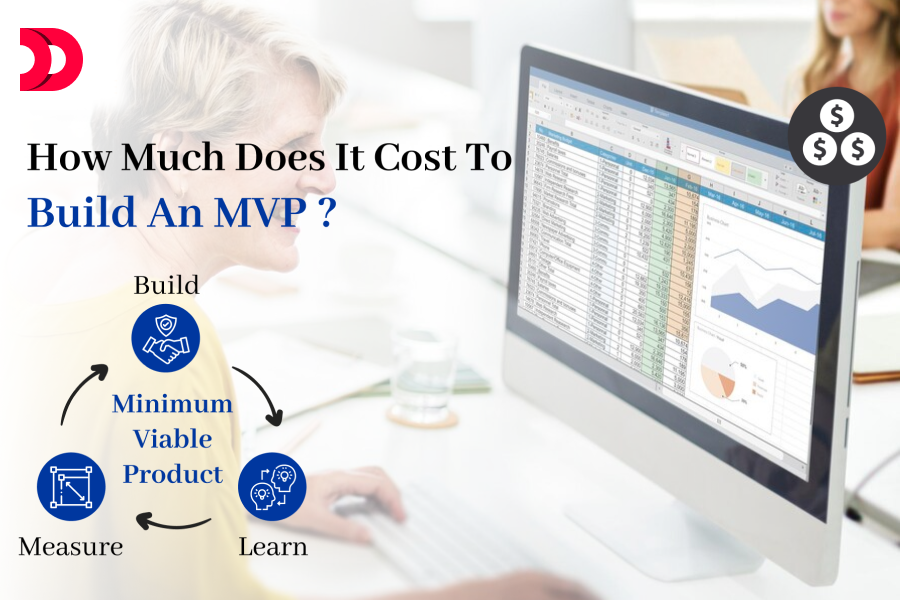
How Much Does It Estimate to Cost to Build an MVP App in UK?

Launching a mobile app can be an exciting venture, but one question looms large for every entrepreneur or business owner: How much will it cost? If you’re planning to build a Minimum Viable Product (MVP) app in the UK—a stripped-down version of your app to test the waters—understanding the costs involved is crucial. Whether you choose to hire an MVP app developer or an MVP app development company, prices vary based on complexity, features, and team expertise. This blog will break down the key factors influencing MVP app development costs in the UK and provide a realistic estimate to guide your planning.

What is an MVP App?

Before diving into costs, let’s clarify what an MVP app is. An MVP (Minimum Viable Product) is a basic version of your mobile app with just enough features to solve a core problem and attract early users. It’s not the fully polished product—it’s a starting point to validate your idea, gather feedback, and iterate. Think of it as a cost-effective way to test demand without committing to a full-scale build, whether you hire a dedicated app developer or collaborate with a team.

Now, let’s talk numbers.

Factors That Influence MVP App Development Costs in the UK

The cost of building an MVP app in the UK depends on several variables. Here’s what drives the price:

Complexity of Features

Simple MVP (e.g., a calculator or to-do list app): Fewer features mean lower costs.

Moderate MVP (e.g., a basic e-commerce or fitness tracker app): Requires integrations like payments or GPS, increasing effort.

Complex MVP (e.g., a ride-sharing or social networking app): Involves real-time updates, APIs, or advanced functionality, pushing costs higher.

Design Requirements

Basic UI: Minimal design with off-the-shelf templates keeps costs low.

Custom UX/UI: A tailored, user-friendly interface adds time and expense.

Development Team Rates

Freelancers: £20–£50 per hour. You can hire an MVP app developer as a freelancer for a cheaper option, though reliability varies.

Small Agencies: £50–£100 per hour. A balanced choice if you hire a mobile app developer from a small team.

Established UK Agencies: £100–£150+ per hour. An MVP app development company often charges higher rates for expertise and polish.

Platform Choice

Single platform (iOS or Android): Lower cost since you’re targeting one ecosystem.

Cross-platform (both iOS and Android): Frameworks like Flutter or React Native can save money over separate native builds.

Location of the Team

UK-based developers charge more due to higher living costs compared to outsourcing overseas. However, when you hire a dedicated app developer locally, you benefit from better communication and alignment with UK market needs.

Timeline

A rushed MVP (4–6 weeks) may incur premium rates, while a standard timeline (8–12 weeks) keeps costs manageable.

Backend Infrastructure

Simple apps might use off-the-shelf solutions (e.g., Firebase), while custom servers or APIs add to the budget.


Estimated Costs for an MVP App in the UK

Based on these factors, here’s a rough breakdown of MVP app development costs in the UK as of 2025, whether you hire an MVP app developer or an MVP app development company:

Simple MVP App

Features: Basic functionality (e.g., user login, one core feature like a list or calculator).

Time: 100–200 hours.

Cost: £5,000–£15,000.

Example: A note-taking app or local event finder.

Moderate MVP App

Features: 2–3 core features (e.g., payments, notifications, simple database).

Time: 200–400 hours.

Cost: £15,000–£40,000.

Example: A food delivery app or fitness tracker.

Complex MVP App

Features: Advanced functionality (e.g., real-time updates, third-party integrations).

Time: 400–800+ hours.

Cost: £40,000–£100,000+.

Example: A ride-hailing app or social platform.

These estimates assume a UK-based team with mid-range rates (£50–£100/hour). Outsourcing could lower costs by 20–40%, but factor in potential trade-offs when you hire a mobile app developer from abroad.


Breakdown of Costs

Here’s where your money typically goes when you hire a dedicated app developer or a team:

  • Planning and Research: 10% (£500–£5,000). Defining goals, user needs, and scope.
  • Design: 15–20% (£1,000–£10,000). Wireframes, UI/UX design.
  • Development: 50–60% (£3,000–£60,000). Coding the app and backend.
  • Testing: 10–15% (£500–£10,000). Bug fixes and quality assurance.
  • Launch and Maintenance: 5–10% (£500–£5,000 initially). App store fees, hosting, and early updates.

Hidden Costs to Watch For

  • App Store Fees: £25/year (Google Play) and £79/year (Apple App Store).
  • Third-Party Services: APIs (e.g., maps, payments) may have subscription costs.
  • Post-Launch Updates: Feedback-driven iterations can add 20–30% to your initial budget.

Tips to Keep Costs Down

  1. Start Small: Focus on one killer feature and nail it.
  2. Use Existing Tools: Leverage platforms like Firebase or pre-built UI kits to save time.
  3. Prioritize One Platform: Launch on iOS or Android first, then expand.
  4. Hire Smart: Whether you hire an MVP app developer or an MVP app development company, balance cost and quality—cheap freelancers might cost more in fixes later.
  5. Plan Thoroughly: A clear scope prevents expensive rework.

Is It Worth the Investment?

In the UK, where the tech scene is thriving (think London’s Silicon Roundabout), an MVP app can be a game-changer for startups and businesses. The key is to see it as an investment, not just an expense. A £20,000 MVP that proves your concept could save you from sinking £100,000+ into a full app nobody wants. Plus, with early user feedback—whether you hire a mobile app developer or a dedicated team—you’re building something tailored to real demand.

Final Thoughts

Estimating the cost of an MVP app in the UK isn’t a one-size-fits-all answer—it hinges on your app’s scope, team, and goals. A simple MVP might set you back £5,000–£15,000 if you hire an MVP app developer, while a more ambitious project could climb to £40,000 or more with an MVP app development company. By keeping your focus narrow and leveraging the right resources, you can launch an MVP that’s both affordable and effective.

Ready to bring your app idea to life? Whether you hire a dedicated app developer or partner with a trusted MVP app development company, start with a clear plan, a realistic budget, and the right expertise. The UK’s vibrant tech ecosystem is the perfect launchpad—take the leap!

React vs Angular: Which Framework to Choose for Your Blockchain App?

Are you looking to embark on the journey of developing a cutting-edge blockchain application? If so, you’re likely facing the pivotal decision of choosing the right framework. In today’s tech landscape, two juggernauts stand out: Angular and React. But which one is better suited for your blockchain endeavor? Let’s delve into the intricacies of both to help you make an informed decision.

Angular, backed by Google, and React, maintained by Facebook, are among the most popular JavaScript frameworks for building robust web applications. Their widespread adoption and vibrant ecosystems make them compelling choices. However, when it comes to developing a blockchain application, several factors come into play.

Angular: Power-packed for Complex Applications

Angular, with its opinionated structure and comprehensive features, is an excellent choice for large-scale and complex projects. Its MVC (Model-View-Controller) architecture provides a structured approach to development, facilitating better code organization and maintainability. Moreover, Angular’s two-way data binding simplifies real-time updates, which can be advantageous for certain blockchain applications requiring constant data synchronization.

For blockchain projects demanding scalability and enterprise-level support, Angular’s robustness shines through. Its TypeScript-based nature enhances code reliability and scalability, making it suitable for mission-critical applications. Additionally, Angular’s CLI (Command Line Interface) streamlines the development process, offering powerful tools for testing, debugging, and deployment.

React: Agility and Flexibility

On the other hand, React’s component-based architecture empowers developers with unparalleled flexibility and reusability. This makes React an ideal choice for rapidly evolving blockchain applications where adaptability is key. Its virtual DOM (Document Object Model) enables efficient rendering, ensuring optimal performance even with large datasets—a crucial aspect for blockchain applications dealing with extensive transactional data.

React’s vibrant ecosystem, bolstered by a vast array of third-party libraries and tools, fosters rapid development and innovation. This flexibility makes React a preferred choice for startups and agile development teams seeking to iterate quickly and experiment with new features. Additionally, React’s lightweight footprint and ease of integration with other technologies make it a versatile option for blockchain projects requiring interoperability.

Making the Choice

So, which framework should you choose for your blockchain app? The answer depends on various factors such as project requirements, team expertise, scalability needs, and long-term objectives. If you prioritize structured development, scalability, and enterprise-level support, Angular may be the right fit for your blockchain venture. Conversely, if agility, flexibility, and rapid iteration are paramount, React could be the ideal choice.

At Devstree UK, a leading React and Angular development company specializing in blockchain application development, we understand the nuances of both frameworks. Our team of dedicated developers possesses the expertise and experience to craft tailored solutions that align with your project goals. Whether you’re looking to leverage the power of Angular’s robust architecture or harness React’s agility for your blockchain application, we’ve got you covered.

Ready to kickstart your blockchain journey? Hire dedicated developers from Devstree UK and unlock the full potential of Angular and React for your next project. Reach out to us today, and let’s build something extraordinary together!

Contact Us to learn more about our services and how we can transform your blockchain vision into reality.

Mobile App Maintenance: How to Estimate and Reduce Costs

Developing a mobile app is just the beginning of your digital journey. Once launched, continuous maintenance is essential to ensure smooth functionality, security, and user satisfaction. However, maintenance costs can add up over time. This blog will guide you on how to estimate mobile app maintenance costs and explore strategies to minimize expenses without compromising quality. If you’re looking for a reliable mobile app development company, this guide will help you make informed decisions.

Understanding Mobile App Maintenance Costs

Mobile app maintenance covers various aspects, including bug fixes, updates, server costs, and security enhancements. These costs typically make up 15-20% of the initial development cost annually. To effectively budget for app maintenance, it’s crucial to understand the key components involved.

Key Factors Affecting Maintenance Costs

Bug Fixes and Updates – Regular updates are necessary to fix bugs and enhance user experience.

OS and Device Compatibility – Apps must stay compatible with new versions of iOS and Android.

Security and Compliance – Regular security patches protect user data and ensure compliance with regulations.

Third-Party API Updates – Many apps rely on third-party APIs, which require periodic updates.

Hosting and Server Costs – Cloud hosting and backend infrastructure contribute to ongoing expenses.

User Support and Monitoring – Providing timely customer support and monitoring app performance are crucial for user retention.

Read more- How Much Does It Cost to Publish an App on the App Store?

How to Estimate Mobile App Maintenance Costs

To estimate your app’s maintenance costs, consider the following factors:

Initial Development Cost: As a rule of thumb, annual maintenance costs are about 15-20% of the total development cost.

App Complexity: More features and integrations mean higher maintenance expenses.

Number of Users: A growing user base may increase hosting and support costs.

Platform and Technology Stack: Native apps may require more updates compared to cross-platform solutions.

Ways to Reduce Mobile App Maintenance Costs

While maintenance is inevitable, there are ways to optimize expenses:

Plan for Scalability

Use a robust technology stack that supports future upgrades without major rework.

Optimize Code Quality

Writing clean, modular code reduces the effort required for future updates and debugging.

Automate Testing and Monitoring

Automated tools help detect performance issues early, reducing manual testing costs.

Use Cloud-Based Solutions

Cloud hosting optimizes resource allocation and reduces infrastructure costs.

Regularly Review and Remove Unused Features

Eliminating outdated or underused features can lower maintenance expenses.

Outsource Maintenance to Experts

Partnering with an experienced mobile app development company or choosing to hire dedicated mobile app developers can be more cost-effective than hiring an in-house team.

Conclusion

Mobile app maintenance is a crucial investment for long-term success. By estimating costs accurately and implementing cost-saving strategies, businesses can ensure app reliability without overspending. If you want to optimize your app maintenance while keeping costs under control, it’s best to hire dedicated mobile app developers who can provide expert support. Prioritizing proactive maintenance will not only enhance user experience but also improve the app’s longevity and profitability.